SaaS vs On-Premises: A Guide for Modern Media Teams
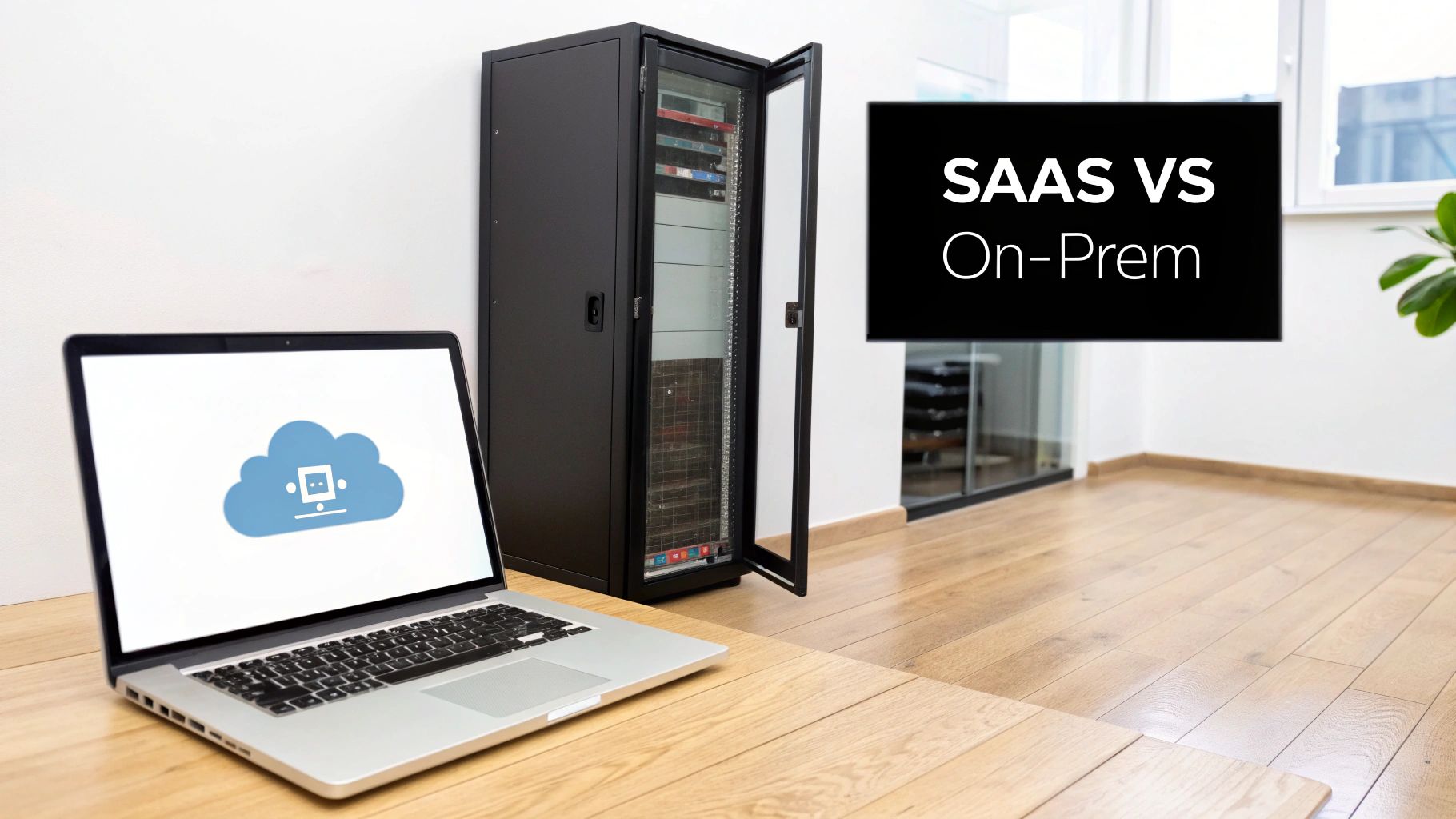
When you're deciding between a SaaS or an on-premises platform, you're really making a choice between control and convenience. On-premises solutions give you direct, hands-on control over your infrastructure, but that comes with a hefty upfront investment and the constant demand of maintenance. SaaS, on the other hand, offers flexibility and predictable costs because the provider handles all the hosting and upkeep for you. For any professional media team, post-production house, or broadcaster, this decision is foundational, shaping everything from workflow agility to your ability to scale and use the latest AI tools.
Comparing SaaS and On-Premises Video Platforms
Picking the right home for your video assets is a serious business. It influences your budget, your team's creative speed, and how you manage your entire media library. The old-school approach, on-premises, means buying software licences and running everything on your own servers. This puts your IT department firmly in the driver's seat.
The alternative, Software-as-a-Service (SaaS), works on a subscription model. A provider, like WIKIO AI, hosts and manages the platform, so you don't have to. This completely removes the need for physical hardware and transforms a massive capital expenditure (CapEx) into a much more manageable operational expense (OpEx).
This isn't just a fleeting trend; it’s a fundamental shift in how businesses are thinking about technology. In France, for example, the software market has seen SaaS solutions grow by an impressive 12.9%, while on-premises software has actually shrunk. This clearly shows a growing preference for more nimble, cloud-based tools. You can dig deeper into France's software market acceleration to see how this is playing out.
For post-production houses, broadcasters, and agencies, this goes way beyond a simple IT choice. It dictates how well you can collaborate on projects, handle enormous video libraries, and bring new technologies into your workflow. It's no surprise that modern video collaboration platform solutions are almost all SaaS-based—the cloud is simply better equipped to provide the scale and processing power needed for advanced features.
WIKIO AI was built from the ground up as a modern alternative to legacy DAMs. It's a powerful SaaS platform designed to make creative workflows smoother, offering tools like AI subtitle translation in over 40 languages, semantic search, and free external collaboration that are incredibly difficult and expensive to replicate in a self-hosted setup.
To help frame the SaaS vs on premises debate, let's start with a quick look at the main differences.
Quick Comparison: SaaS vs On-Premises for Video Platforms
This table breaks down the fundamental differences you'll encounter when choosing between a cloud-based service and a self-hosted system for your media workflows.
| Criterion | SaaS Platform (e.g., WIKIO AI) | On-Premises System |
|---|---|---|
| Initial Cost | Low (subscription-based) | High (hardware, licences, installation) |
| Deployment Time | Fast (days or hours) | Slow (months) |
| Maintenance | Handled by the provider | Internal IT responsibility |
| Scalability | High and elastic (on-demand) | Limited and costly (requires new hardware) |
| Accessibility | Global, via web browser | Restricted to internal networks (VPN needed) |
| Updates & Features | Automatic and continuous | Manual, often complex and disruptive |
As you can see, the choice isn't just about where your software lives; it's a strategic decision that affects your finances, agility, and long-term capabilities.
Unpacking the True Cost of Ownership
When you’re weighing up a SaaS versus an on-premises video platform, the initial price you see is just the tip of the iceberg. To get the full picture, you need to dig into the Total Cost of Ownership (TCO). This reveals the complete financial commitment over the system's lifetime, and it's often where the two models diverge dramatically.
An on-premises setup kicks off with a massive upfront investment, known as Capital Expenditure (CapEx). This isn't a simple, one-time software licence fee; it’s a whole series of initial costs that quickly add up.

But those initial costs are only what you can see. The real budget-breaker often comes from the hidden, ongoing Operational Expenses (OpEx) that creep in over time.
The Hidden Costs Lurking in On-Premises Systems
Keeping an on-premises video workflow running smoothly is a resource-heavy job. Beyond the big initial purchase, you're on the hook for a long list of recurring expenses that are easy to underestimate when you're first planning things out.
Here’s a look at the operational costs you need to factor in:
- Dedicated IT Staff: You’ll need skilled people to manage servers, roll out security patches, fix problems as they arise, and handle all the day-to-day system maintenance.
- Energy and Cooling: The high-performance servers needed for serious video processing chew through a lot of power and need a climate-controlled room to run, which means hefty utility bills.
- Hardware Lifecycle Management: Servers and storage don't last forever. You're typically looking at a complete hardware refresh every three to five years, a major expense you'll have to budget for repeatedly.
- Software Maintenance: Those annual maintenance or "enhancement plan" fees are standard practice. Expect to pay 15-20% of the original licence cost every single year just to keep the software supported.
When you add it all up, the TCO for an on-premises system becomes both very high and frustratingly unpredictable.
The Clear, Predictable Costs of SaaS
A SaaS model completely flips the script, shifting your entire financial model from CapEx to a predictable OpEx subscription. This move gets rid of all those hidden costs tied to managing your own infrastructure. Instead, a straightforward monthly or annual fee bundles everything you need into one transparent price.
A SaaS video collaboration platform isn't just software; it's a fully managed service. The subscription covers hosting, security, automatic updates, and expert support. This frees up your internal teams to focus on their creative work, not on IT headaches.
Let's imagine a real-world scenario. A post-production house is handling terabytes of 4K footage and needs a solid video review tool. With an on-premises system, they'd first spend hundreds of thousands of euros on servers, high-speed storage, and software licences. Over five years, once you add in IT salaries, energy costs, and a mandatory hardware refresh, the TCO could easily be two or three times that initial investment.
With a SaaS solution like WIKIO AI, that same post-production house pays a predictable subscription. That fee gives them immediate access to a powerful creative collaboration software with elastic storage that grows as they need it. There are no servers to buy, no maintenance contracts to juggle, and no surprise upgrade costs down the line. You can explore our straightforward subscription tiers to see how WIKIO AI’s pricing model compares.
WIKIO AI: A Smarter Frame.io Alternative
As a modern alternative to legacy DAMs, WIKIO AI is engineered to deliver maximum value. It includes features that are incredibly expensive and difficult to build yourself, like AI-powered semantic search and AI subtitle translation into over 40 languages. For agencies and post-production houses, the platform also offers free external collaboration, meaning you can provide free video review for clients without needing to buy them costly user licences.
When you map out the five-year TCO, the financial logic of SaaS becomes impossible to ignore. The elimination of hardware costs, the reduction in IT overhead, and the inclusion of advanced features make it a far more cost-effective and powerful solution for almost any professional media team.
Comparing Security and Compliance Models
For any media company, broadcaster, or creative agency, security isn't just an IT problem—it's a fundamental business requirement. When you get down to the SaaS vs on-premises debate, the conversation always lands on which model truly protects your high-value, sensitive content. It’s easy to assume on-premises solutions offer more security because you have direct, physical control, but this creates a massive, often underestimated, burden on your internal teams.

The old-school thinking is that keeping data in-house is automatically safer. The catch? This model puts the entire weight of security squarely on your organisation's shoulders. We're talking about everything from controlling who walks into the server room to constant network monitoring, patch management, and fending off increasingly sophisticated cyber-attacks. For most teams, maintaining that level of vigilance 24/7 just isn't realistic.
The SaaS Approach to Enterprise-Grade Security
Top-tier SaaS providers operate on a completely different scale. They invest heavily in dedicated security infrastructure and employ expert teams whose entire job is to mitigate threats. Modern platforms like WIKIO AI are engineered with multi-layered security protocols that often go far beyond what a single company could realistically build and maintain on its own.
This proactive approach to security typically includes:
- Continuous Monitoring: Dedicated security teams actively hunt for threats around the clock.
- Regular Audits: Independent third parties are brought in for penetration tests to validate all security controls.
- Advanced Encryption: Your data is protected with end-to-end encryption, both while it's moving and when it's stored.
- Compliance Frameworks: Adherence to global standards like GDPR ensures data handling meets strict regulatory rules.
By handing off these complex duties to a specialised provider, your internal teams are freed up to focus on what they do best—creating amazing content—instead of fiddling with firewall configurations. You get robust, enterprise-level security without the operational headache.
Addressing Data Sovereignty and Compliance
Data sovereignty is a huge deal, especially for European broadcasters and agencies. Knowing exactly where your data is physically stored is critical for GDPR compliance. It's a common myth that only on-premises systems can guarantee your data stays within a specific geographic region.
Unlike competitors who might store data globally, WIKIO AI provides a definitive solution for European clients by offering regional data centres. This ensures that your sensitive media assets are stored and processed in compliance with local data protection laws, directly addressing sovereignty concerns.
Modern SaaS architecture allows providers to offer regional hosting, giving you the control you'd expect from on-premises systems but with the flexibility and advanced security of the cloud. You can find out more about how we handle data responsibly in our detailed privacy policy and compliance information. This commitment means that choosing a SaaS video collaboration platform doesn't force you to compromise on regulatory needs.
How WIKIO AI Enhances Compliance Workflows
As a modern alternative to legacy DAMs, WIKIO AI does more than just offer passive security; it builds compliance tools directly into your creative workflow. This is a critical point of difference in the SaaS vs on premises comparison, as on-prem systems rarely come with such integrated features.
For example, our AI-powered profanity detection automatically flags inappropriate visual or spoken content, helping broadcasters meet regulatory standards before content ever goes live. This automated video feedback tool can save countless hours of tedious manual review.
Our platform is also built from the ground up for secure collaboration. When you're working with external partners, you need a safe way to share content. WIKIO AI offers free video review for clients through secure, time-limited links with optional watermarking. This granular control ensures pre-release assets are shared safely—a non-negotiable capability for any video collaboration for agencies or post-production houses. These intelligent, built-in features offer a level of compliance and security that is simply out of reach for most traditional on-premises setups.
Can Your Platform Keep Up? Performance, Scalability, and AI Integration
When you're weighing up SaaS vs on-premises platforms, performance and scalability aren't just technical details—they're at the very heart of your creative team's ability to deliver. Media workflows are notoriously demanding, and how a system handles fluctuating workloads and new technology can make or break a project. This is where the architectural split between the two models becomes a massive performance gap.
On-premises systems are, by their nature, rigid. If you need more power, you have to physically buy, install, and configure new hardware. It's a slow, costly, and disruptive process. This forces you to plan for your absolute peak demand, meaning most of the time you're paying for expensive, underutilised servers just sitting there.
In contrast, SaaS platforms offer what's known as elastic scalability. Because they're built on cloud infrastructure, they can spin up resources dynamically to meet demand in real-time. This is a game-changer for post-production houses and creative agencies whose workloads can swing wildly, especially during a major project delivery or a live broadcast.
The Clear AI Advantage of SaaS
For modern media teams, the real differentiator is artificial intelligence. Trying to implement powerful AI models on-premises is an uphill battle. The sheer computational power needed for tasks like video analysis, transcription, and translation is immense, often requiring specialised hardware and constant maintenance that's simply beyond the scope of most in-house IT departments.
This is where SaaS platforms truly shine. As a modern alternative to legacy DAMs, WIKIO AI is built to harness the cloud's massive processing power, delivering AI-driven tools directly into your workflow. Gaining access to this kind of innovation is one of the core strengths of the SaaS model.
WIKIO AI offers a suite of AI-powered tools that are practically impossible to run on most on-premises setups. This includes features like AI subtitle translation into over 40 languages, a semantic search that finds content based on spoken words or on-screen objects, and automated profanity detection. For AI-driven video workflows, SaaS is unequivocally the better model.
These aren't just fancy add-ons; they are deeply integrated features that fundamentally change how media teams work. An on-premises system just can't compete with the speed and efficiency of a cloud-native video asset management platform designed for AI from the ground up.
France's Growing Appetite for AI Integration
This move towards intelligent, cloud-based tools isn't just a niche trend; it's reflected in the broader market. France, for example, is now Europe's second-largest SaaS market and is projected to surge from €4.75 billion to €11.05 billion by 2025. This rapid growth shows a clear shift away from inflexible on-premises software.
A recent study underscores this, revealing that 84% of French organisations are planning to increase their AI investments. SaaS platforms are the natural home for this integration, while nearly half (49%) of on-premises users admit they struggle with data quality issues that hamper any AI ambitions. You can dig deeper into the growth of SaaS and AI in the French market.
WIKIO AI vs. Frame.io: A Focus on Intelligent Tools
When you look at creative collaboration software, the depth of AI integration is a critical point of comparison. While many platforms offer basic review and approval features, WIKIO AI stands out as a powerful Frame.io alternative by making advanced AI genuinely accessible for everyday work.
| Feature Comparison | WIKIO AI | Frame.io |
|---|---|---|
| Subtitle Translation | Automated AI subtitle translation into 40+ languages. | Manual subtitle uploads required. |
| Content Search | AI-powered semantic search (spoken words, objects). | Standard metadata and filename search. |
| Collaboration | Free external collaboration for client reviews. | Requires paid licences for external collaborators. |
| Compliance | Automated AI profanity detection. | Manual review process. |
For agencies and broadcasters needing to localise content or sift through vast archives, these differences are huge. Being able to translate subtitles automatically or find a specific moment in hours of footage without someone manually tagging it first saves an incredible amount of time and money. This elevates WIKIO AI from just another video review tool to a comprehensive video intelligence platform.
Ultimately, choosing a SaaS solution isn't just about the deployment model. It's an investment in a future of continuous innovation, superior performance, and intelligent automation that on-premises systems simply cannot offer.
Making the Right Choice for Your Media Team
Choosing between a SaaS platform and on-premises infrastructure isn't just a technical detail; it's a strategic move that will define your team's creative agility and output. The right platform doesn't just store your assets—it becomes the engine driving your entire content lifecycle.
When you're weighing SaaS vs on-premises solutions, the conversation almost always comes down to your team's real-world needs for speed, collaboration, and access to advanced technology. For the vast majority of modern media workflows, a SaaS platform delivers a clear, decisive advantage.
The decision can often be simplified by looking at your need for advanced AI and scalability.

As this shows, teams who need AI-powered tools and the flexibility to scale up or down will find SaaS is the obvious path forward. On-premises really only makes sense for those with fixed, non-AI workflows.
Scenarios Where SaaS Is the Optimal Choice
Let’s get practical and look at a few common situations where a SaaS video collaboration platform is undeniably the best fit for professional media teams. In each case, cloud-native features solve everyday industry headaches.
- Post-Production Houses Needing Client Feedback: Juggling multiple projects means you need a fast, frictionless video review tool. A SaaS platform lets you offer free video review for clients with secure, time-stamped comments, finally putting an end to confusing email threads and version-control nightmares.
- Agencies Seeking a Frame.io Alternative: Creative agencies depend on a powerful creative collaboration software that fits right into their existing workflows. A modern SaaS solution brings better collaborative features and advanced AI tools to the table, helping you deliver projects much faster.
- Broadcasters Localising Global Content: For any broadcaster trying to reach new markets, manually translating subtitles is a massive bottleneck. A SaaS platform with built-in AI subtitle translation can translate subtitles automatically into dozens of languages, cutting turnaround times from weeks down to mere minutes.
WIKIO AI: A Modern Alternative to Legacy DAMs
We built WIKIO AI to be the modern answer to clunky, legacy DAMs. It was engineered from the ground up to meet the demands of today's professional media teams. Think of it less as a storage locker and more as an intelligent video asset management system designed to make your content start working for you.
Unlike competitors, WIKIO AI provides a suite of powerful, integrated AI tools designed to eliminate manual work. From semantic search that finds content based on spoken words to automated profanity detection, our platform empowers teams to move faster without sacrificing quality or compliance.
This drive toward intelligent automation is part of a much larger market shift. The French SaaS market, for example, is projected to hit €20.96 billion by 2030. This growth is being fuelled by companies ditching their on-premises setups, where 42% report struggling with integration issues. They're moving to scalable SaaS platforms that can handle demanding, AI-driven tasks like video localisation. You can dig deeper into the French SaaS market growth to see the full picture.
WIKIO AI vs. Frame.io vs. Vimeo Review
When you’re looking for a video review and collaboration tool, the real differentiators are the depth of AI integration and the flexibility of the collaboration model. This is where WIKIO AI stands out against platforms like Frame.io and Vimeo Review, offering unique capabilities that directly tackle the daily challenges faced by agencies, broadcasters, and post-production houses.
| Differentiator | WIKIO AI | Frame.io | Vimeo Review |
|---|---|---|---|
| Subtitle Localisation | AI subtitle translation into 40+ languages. | Requires manual subtitle upload. | Limited to auto-captions in one language. |
| Intelligent Search | AI-powered semantic search finds clips by spoken words & objects. | Relies on standard keyword search. | Basic search functionality. |
| External Collaboration | Offers free external collaboration, allowing unlimited client reviewers. | Requires purchasing additional user seats. | Limited by plan tier; often requires upgrades. |
| Target Audience | Professional Media Teams & Broadcasters | Post-Production & Agencies | General Creators & SMBs |
For any team involved in video collaboration for agencies, that last point is a game-changer. The ability to bring clients directly into the review process without paying for more seats simplifies workflows and keeps overheads down. This approach is central to our philosophy, which you can read more about in WIKIO AI's vision for the future of video. We see WIKIO AI not just as a tool, but as a strategic partner in your creative process.
Frequently Asked Questions
When you're deep in the trenches of media production, choosing between a cloud-based SaaS platform and a traditional on-premises system brings up some very practical questions. Here are some straightforward answers to the things teams like yours are asking.
Is a SaaS video platform secure enough for confidential broadcast content?
Absolutely. It's a common concern, but modern SaaS platforms like WIKIO AI are often more secure than their on-premises counterparts. WIKIO AI is built on a foundation of security, investing in multi-layered architectures that most individual companies can't afford to maintain. We're talking end-to-end encryption, regular third-party security audits, and data centres that meet strict international standards like GDPR.
The biggest shift in thinking is this: with on-premises, security is 100% on you. With a SaaS provider, you're partnering with a dedicated team whose sole job is to stay ahead of emerging threats. WIKIO AI offers enterprise-grade security without the massive in-house overhead.
What is the real difference in deployment time between SaaS and on-premises?
The difference here isn't just incremental; it's a completely different world. Getting an on-premises video asset management system up and running is a major project, often taking 6 to 12 months. It involves buying hardware, wrestling with complex software configurations, and then getting the entire team trained up.
A SaaS video collaboration platform like WIKIO AI, on the other hand, is ready to go in days. Your team can sign up, start uploading media, and be actively collaborating almost immediately.
Can I integrate a SaaS platform like WIKIO AI with my existing tools?
Yes, and this is one of the biggest strengths of modern SaaS. These platforms are built from the ground up to play nicely with other tools. WIKIO AI, for example, provides a robust API designed for hybrid workflows. This lets you connect it to your favourite editing software, content delivery networks, and other mission-critical tools, using WIKIO AI as your central hub for collaboration and video asset management.
How does a SaaS platform handle massive video files and archives?
SaaS platforms designed for media are specifically engineered to handle huge files without breaking a sweat. WIKIO AI uses an optimised cloud infrastructure for high-speed uploads and downloads. For large archives, its AI-powered semantic search is a lifesaver. Instead of digging through complicated folder trees, your team can find specific clips just by searching for spoken words or objects on screen, turning a dormant archive into a living, searchable library.
Which model is better for collaboration with external partners and clients?
For working with anyone outside your organisation, SaaS is the clear winner. On-premises systems usually force external users to connect through a clunky and slow VPN. Modern SaaS solutions like WIKIO AI get rid of that headache by enabling free external collaboration. You can securely send review links to clients and partners without forcing them to create a paid account, which streamlines the entire approval cycle. This feature makes WIKIO AI an excellent Frame.io alternative for any video collaboration for agencies.
How do AI features like subtitle translation actually work?
AI features in a SaaS environment tap into enormous cloud-based computing power that would be impractical to host yourself. Take WIKIO AI's AI subtitle translation as an example. When you need to translate subtitles automatically, the process is simple:
- WIKIO AI’s AI transcribes the original audio into text.
- It feeds that text through sophisticated machine translation models.
- The translated text is instantly turned into a time-coded subtitle file in one of over 40 languages.
The entire process takes just a few minutes, a perfect illustration of how SaaS uses the power of the cloud to deliver features that are simply out of reach for most on-premises setups.
Ready to move beyond the limitations of legacy systems? WIKIO AI is the modern alternative to outdated DAMs, offering a powerful video collaboration platform with unmatched AI capabilities. Centralise your assets, automate tedious tasks, and empower your team to create and deliver content faster than ever.