Subtitle and Translation: AI-Driven Workflows for Global Video Reach
Subtitle and translation workflows used to be painfully slow. It was a manual, step-by-step process that simply can't keep up with the demands of professional media teams, post-production houses, and agencies. Today, the industry is shifting to agile, AI-driven systems, allowing teams to prepare video content for global audiences faster than ever. The secret is to ditch the collection of disjointed tools and embrace a single, integrated platform that takes you from transcription all the way to final delivery.
The New Playbook for Globalising Video Content
Let's be honest, in today's media world, reaching a global audience isn't just a nice-to-have; it's a must. If you're running a professional media team, a post-production house, or an agency, you're facing the same core challenge: how do you handle a massive volume of video that needs accurate, culturally sensitive localisation across dozens of languages without grinding your entire production to a halt? The old way of doing things—emailing files back and forth between translators, editors, and clients—is completely broken.
This constant friction has paved the way for a much more modern approach. The language technology market is booming to meet this demand. Take France, for example. The language translation software market there was valued at USD 2,687.33 million in 2024 and is expected to nearly double by 2035, largely thanks to the media and e-commerce industries. You can explore more data on this growth and its impact on the French market in our recent analysis. This isn't just a local trend; it signals a major industry shift toward AI-powered tools for subtitling and localisation.
A Modern Alternative for Media Teams
Traditional Digital Asset Management (DAM) systems were designed to store files, not to be part of an active, fast-paced production line. This is exactly where platforms like WIKIO AI come in, offering a modern alternative to legacy DAMs. It’s a video collaboration platform designed from the ground up to solve the real-world problems of scaling subtitle and translation work.
Unlike competitors, WIKIO AI provides an integrated suite of tools that eliminates the need for multiple subscriptions. Instead of just being a digital locker for your assets, WIKIO AI brings the tools you actually need into one place:
- AI Subtitle Translation: WIKIO AI offers the ability to automatically translate subtitles automatically into over 40 languages in minutes.
- Semantic Search: Forget hunting for files by name. Find the exact clips you need across huge libraries just by describing what's in them.
- Free External Collaboration: Simplify your review cycles with "free video review for clients," letting stakeholders comment without needing to buy a license. This is a key differentiator for agencies and post-production houses.
- Profanity Detection: Automatically flag content to ensure it meets broadcast standards and brand guidelines.
By combining powerful video asset management with smart automation, platforms like WIKIO AI provide a central hub to manage, localise, and review content. It gets rid of the need to juggle multiple subscriptions and clunky, disconnected systems.
This table gives a clearer picture of how these two approaches stack up:
Manual vs AI-Powered Subtitle Workflows
| Feature | Traditional Manual Workflow | WIKIO AI-Powered Workflow |
|---|---|---|
| Transcription | Manual typing or outsourcing (hours/days) | AI-powered transcription (minutes) |
| Translation | Sent to external translators (days/weeks) | Instant AI subtitle translation, ready for human review |
| Collaboration | Email chains, shared drives, version chaos | Centralised, real-time comments on video |
| Asset Search | Relies on manual tagging and folder structures | Semantic search finds content based on context |
| Scalability | Limited by human resources; very expensive | Scales easily to thousands of videos and 40+ languages |
| Cost | High per-minute rates for human services | Significantly lower, based on platform usage |
For agencies and broadcasters, this integrated workflow is a game-changer. It turns video asset management from a passive storage closet into an active production engine. This is a key difference when you compare it to a Frame.io alternative that might focus more on feedback than the entire asset lifecycle. To truly succeed at scale, teams need a single source of truth that supports a video's entire journey, from raw footage to globally distributed content. Building that foundation is the first step to creating a localisation pipeline that can actually keep pace with your ambitions.
How to Build Your Automated Localization Pipeline
Let's be honest, the old way of localizing video is broken. Manually transcribing, emailing SRT files back and forth, and chasing down translators is a recipe for missed deadlines and spiralling costs. A modern, scalable workflow starts with one core principle: automation built around a single source of truth.
That source of truth is an automated, time-coded transcript.
Forget spending hours typing out dialogue. With today's AI, you can generate a precise text version of your video's audio in minutes. This isn't just a time-saver; it creates a foundational asset that’s perfectly synced to your media, ready for every step that follows. Once you have this master transcript, you're ready to tackle translation without ever leaving your workflow.
The Power of Integrated AI Translation
This is where a true video collaboration platform really shines. Instead of exporting a file, sending it out for translation, and then re-importing it, the whole process can happen in one unified space.
Platforms like WIKIO AI are built for this, letting you translate subtitles automatically into over 40 languages right inside the project. For a post-production house juggling content for a dozen different regions, this means you can generate a full suite of localised subtitles faster than it takes to finish your morning coffee.
This diagram really captures the shift from the slow, manual grind to a smart, AI-powered workflow.
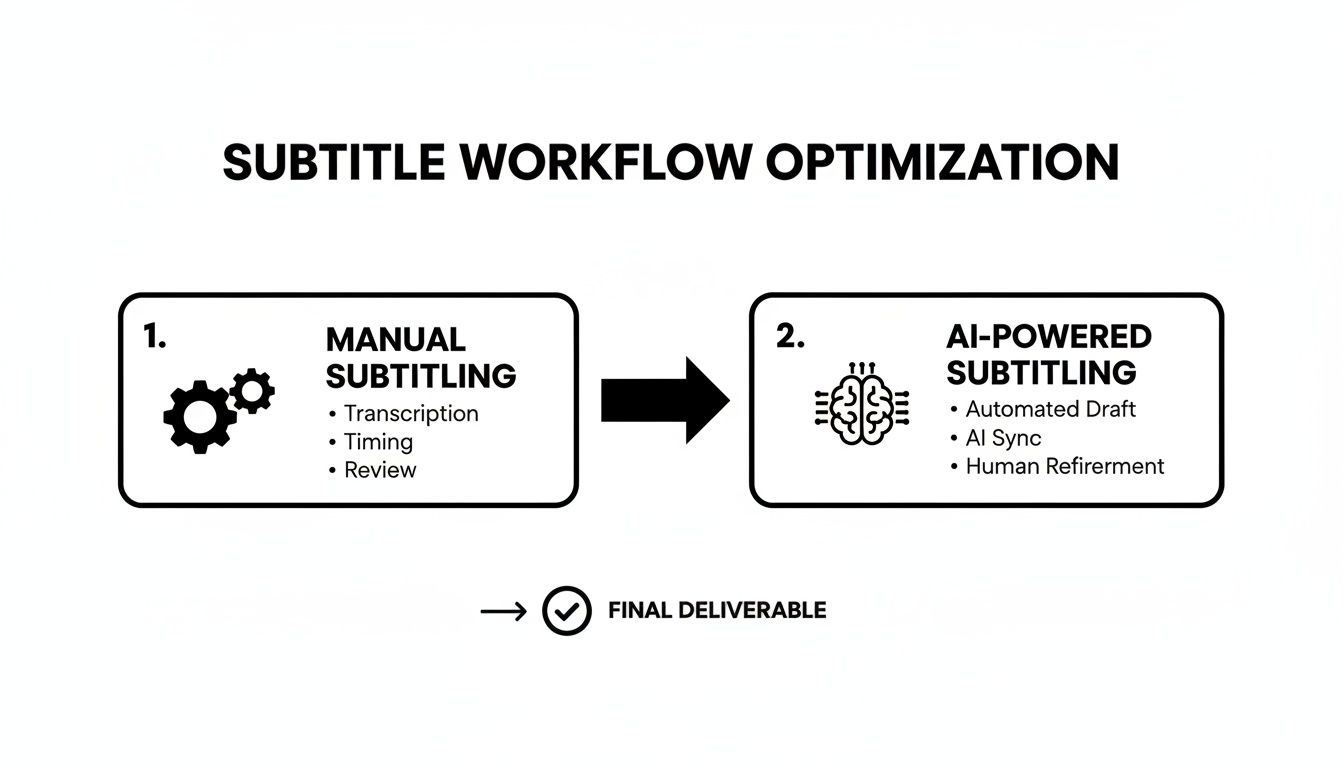
You can see how AI becomes the central hub, connecting transcription, translation, and review. It gets rid of all those fragmented steps that create bottlenecks in the traditional model.
Of course, raw machine translation isn't always the final product. For top-tier results, the best workflows use a hybrid model: Machine Translation Post-Editing (MTPE).
What is MTPE? It’s the best of both worlds. The AI does the initial heavy lifting, and then a professional human linguist swoops in to review and polish the output. They’ll catch cultural nuances, fix awkward idioms, and make sure the tone is perfectly aligned with your brand.
This MTPE approach is the secret sauce for balancing speed with the high-fidelity quality you need for broadcast or major marketing campaigns. It’s exactly how professional media teams scale their global output without sacrificing the end product.
Adopting a Hybrid Workflow for Quality at Scale
An effective localisation pipeline is as much about the process as it is about the technology. The goal is to get from a single video file to a complete set of multilingual subtitles with minimal friction.
Here’s what that looks like in practice, especially for teams handling video collaboration for agencies:
- Start with Automated Transcription: First, upload your video to a platform like WIKIO AI. The AI gets to work, generating a time-coded transcript that becomes your master file.
- Move to AI Translation: Next, just select your target languages. The system uses that master transcript to instantly generate all the translated subtitle files you need.
- Bring in the Experts for a Human Polish (MTPE): This is where you invite your internal linguists or freelance partners directly into the platform. A huge advantage here is that WIKIO AI offers free external collaboration, so you don't get hit with extra seat licenses just for your reviewers.
- Lock in the Final Review: Stakeholders can then jump in and use the integrated video feedback tool to leave time-coded comments. This makes any final tweaks precise and incredibly easy for editors to implement.
This kind of integrated approach keeps all your video asset management and creative collaboration under one roof. It’s more than just a simple video review tool. This distinction is key when you're looking at WIKIO AI as a Frame.io alternative. While Frame.io is fantastic for review, WIKIO AI is designed as a modern alternative to legacy DAMs, connecting your asset library directly to AI-powered localisation tools.
For a deeper dive into organising your assets, take a look at our guide on how to build a video content library that works for your entire team. Getting your organisation right is fundamental to making an automation pipeline succeed. By building your workflow on a foundation of intelligent automation and seamless collaboration, you create a system that doesn't just keep up with demand—it actively accelerates your global reach.
Getting to Grips with Subtitle Formats and Tech Standards
If you're diving into video localisation, you’ll need to get comfortable with a few technical details. Let's be clear: not all subtitle files are the same. Choosing the wrong one can cause anything from a minor playback glitch to a major compliance headache.
For any professional media team, understanding these differences isn't just nice to have—it's essential.
At its heart, a subtitle file is just a simple text file with timing information. It tells the video player what words to display on screen, and exactly when to show and hide them. But of course, it's never that simple. Different platforms and industries have their own preferred standards, each with its own quirks and capabilities.
SRT: The Web's Go-To Format
Chances are, if you've ever dealt with subtitles for online video, you've run into a .SRT (SubRip Text) file. It’s the most common format out there, mainly because it's incredibly simple and compatible with almost everything.
An SRT file is stripped down to the basics:
- A number for each subtitle.
- The start and end timecodes.
- The text itself.
That's it. This simplicity makes SRT files a breeze to create and edit manually, which is why platforms like YouTube and Vimeo love them. For the vast majority of online content, SRT is all you'll ever need.
TTML and DFXP: The Broadcast Essentials
Once you step into the world of professional broadcasting, the technical goalposts move. The requirements get far more demanding, and that's where formats like TTML (Timed Text Markup Language) and its predecessor, DFXP (Distribution Format Exchange Profile), enter the picture.
Unlike a plain-text SRT, TTML is an XML-based format. Think of it as SRT on steroids. This structure unlocks a whole new level of control and metadata, allowing for:
- Precise positioning of text anywhere on the screen.
- Advanced styling, like custom colours, fonts, and backgrounds.
- Regional information and other metadata crucial for broadcast compliance.
For post-production houses and broadcasters, delivering a TTML is often non-negotiable. The good news is that you shouldn't have to worry about creating these by hand. Any modern video collaboration platform worth its salt should handle the conversion for you.
This is where an integrated platform really shines. With a tool like WIKIO AI, you generate one master transcript and can then export it into any format you need—SRT for the web, TTML for a broadcaster, or VTT for an HTML5 player—without ever touching a conversion tool.
Captions vs. Subtitles: A Critical Distinction
People use "captions" and "subtitles" interchangeably all the time, but in the professional world, they mean very different things. Getting this right is crucial for both accessibility and reaching a global audience.
Closed Captions (CC) are designed for viewers who are D/deaf or hard of hearing. They don't just transcribe dialogue; they also include important non-speech sounds that affect the viewing experience, like [music playing] or [door slams]. Critically, captions are in the same language as the video's audio.
Subtitles, on the other hand, are for viewers who can hear just fine but don't understand the language being spoken. They are a direct translation of the dialogue.
For agencies and broadcasters, particularly in Europe, providing accurate captions is now a legal requirement under accessibility laws. If you need a deeper dive on this, we've covered it extensively in our article on navigating the European Accessibility Act and its impact on video content.
A solid video asset management system should make this entire process seamless. As a modern alternative to legacy DAMs, a platform like WIKIO AI centralises your entire workflow. It can generate a single, time-coded transcript that becomes the source for both your accessibility captions and your translated subtitles in over 40 languages. This approach completely removes the technical burden, letting your team focus on creating great content, not wrestling with file formats.
Why You Still Need a Human in the Loop for Quality Control
AI translation gives you incredible speed, but it’s human expertise that guarantees your message actually connects with a local audience. This is where quality assurance (QA) comes in—it’s the crucial step where automated workflows get a final polish from a human expert. It's what turns a decent translation into a truly great one.
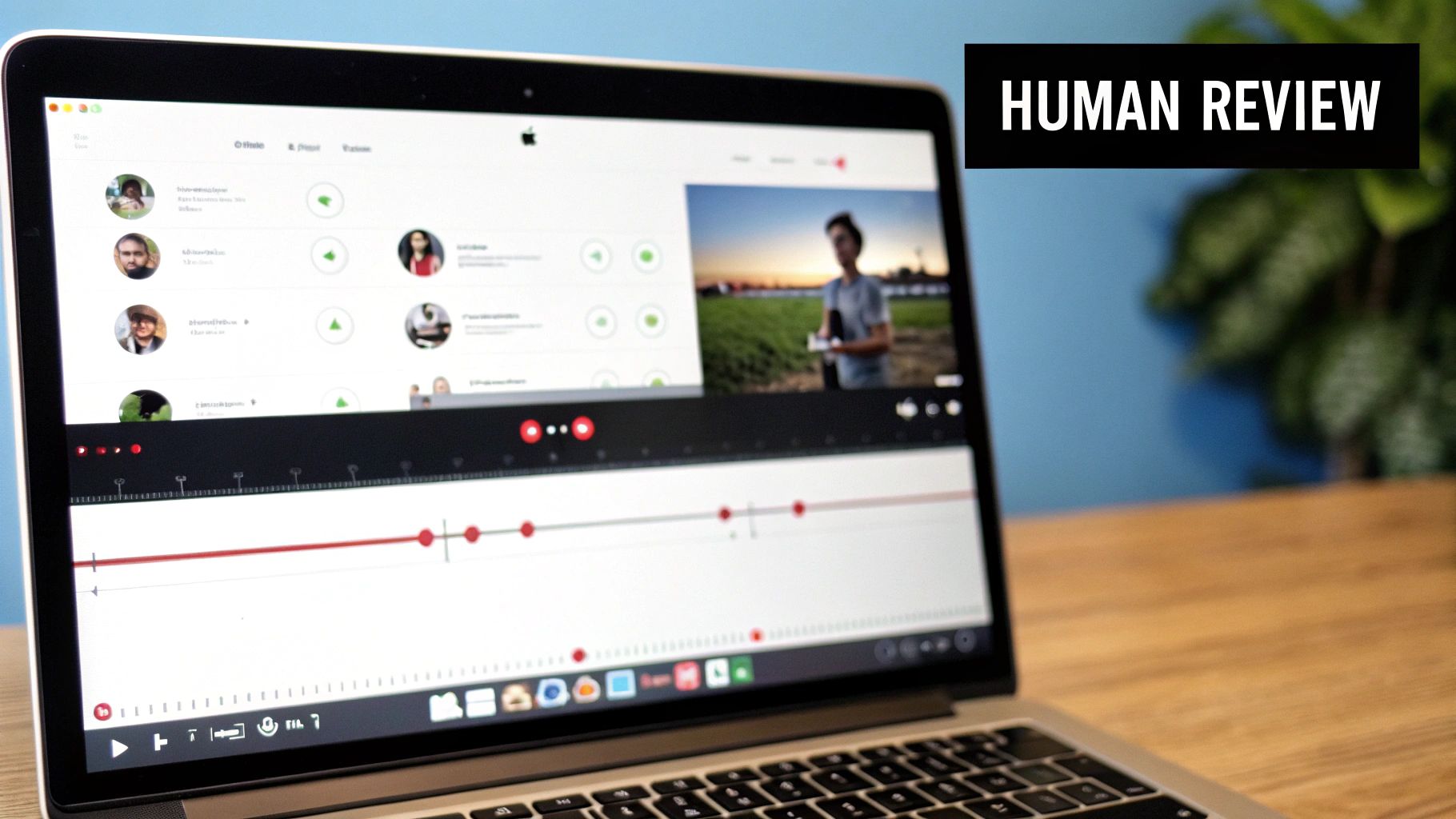
We've all been there: endless email chains with attached spreadsheets and vague notes like "fix the subtitle at 2:15." That old way of handling QA is a recipe for disaster. Thankfully, modern media teams have moved on to integrated platforms that bring the whole process under one roof. A solid video feedback tool lets reviewers drop time-coded comments directly onto the video timeline. This completely removes the guesswork and gives editors a clear, actionable list of revisions.
This shift is particularly relevant in markets like France, a major player in the European translation scene. A recent survey of freelance translators found that France accounted for 9% of all respondents. Within that group, 31% pointed to the rise of machine translation as a major concern in 2023. This really shines a light on the pressure traditional workflows are under and why we need platforms that expertly blend AI efficiency with human quality control. You can learn more about these freelance translator trends in the full report.
What Your Reviewers Should Actually Be Looking For
During the QA phase, your team is doing much more than just catching typos. They're safeguarding the entire viewing experience.
Here are the critical areas your linguists and stakeholders should be laser-focused on:
- Timing and Synchronisation: Are the subtitles appearing and disappearing exactly when the person on screen is speaking? Even a slight delay can be incredibly distracting and feel unprofessional.
- Cultural Nuances and Idioms: The goal is to avoid literal, word-for-word translations. An idiom that works perfectly in English might be baffling or even offensive in another language. This is where a native speaker's insight is priceless.
- Brand Voice and Terminology: Does the translation sound like your brand? It’s crucial to make sure your established tone and specific product or industry terms are used consistently.
- Compliance and Standards: Many platforms now include features like profanity detection to automatically flag content that might violate broadcast standards or regional regulations.
Bringing It All Together with a Modern Video Collaboration Platform
This is where your choice of creative collaboration software can make or break your workflow. A platform like WIKIO AI becomes the central hub for the entire QA process, positioning itself as a powerful Frame.io alternative.
Here's the real difference-maker: unlike competitors that often charge per seat, WIKIO AI offers free external collaboration. For agencies and post-production houses, this is a massive advantage. It means you can offer "free video review for clients" without racking up huge bills for extra licences every time a stakeholder needs to chime in. Your client, a freelance linguist, and an internal project manager can all comment on the same video, in the same place, at the same time.
WIKIO AI creates a single workspace where teams can manage, translate, and review video assets without jumping between different tools. Unlike many competitors, it has built-in AI for subtitle translation and semantic search right alongside its powerful review features.
This integrated approach makes the whole QA process transparent and ridiculously efficient. Every piece of feedback is tied to a specific frame, so editors know exactly what to change and where. For teams managing video collaboration for agencies, this translates directly to faster approvals, fewer revision rounds, and much happier clients.
Ultimately, this transforms video asset management from a simple cloud storage folder into an active, collaborative environment built for speed and precision. The result is a flawless final product that is not only technically accurate but also culturally resonant.
Choosing the Right Video Collaboration Platform for Your Team
Picking the right tech stack is a big deal. It's the engine that will either power or stall your team's ability to scale up your subtitle and translation work. The market is crowded, sure, but when you look closely, you realise not all platforms are built for the kind of demanding localisation workflows professional media teams juggle every day.
The decision really boils down to what each platform was originally designed to do. A lot of tools are fantastic for one specific job—like review and approval—but they just can't keep up when you need a single, connected solution for the entire lifecycle of your assets. This is where a modern alternative to legacy DAMs becomes more than just a tool; it's a strategic advantage.
WIKIO AI vs Frame.io
When teams start looking for a Frame.io alternative, it's usually because they need serious review and approval muscle. And to be fair, Frame.io is brilliant at that. It’s a top-tier video feedback tool that makes gathering time-coded comments from stakeholders incredibly simple, which is why it’s become the go-to for so many creative agencies and post-production houses.
But here’s the catch: its focus is almost entirely on that review phase. If your team is also wrestling with complex subtitle and translation workflows, you’ll quickly hit a wall. You'll find yourself needing separate tools for automated transcription, multi-language translation, and finding assets buried in your archive. This piecemeal approach creates a fragmented, clunky, and slow process.
This is exactly the gap WIKIO AI was built to fill. It doesn't just bolt these features on; it integrates them right into the core of the platform. Straight out of the box, WIKIO AI gives you:
- Built-in AI subtitle translation for over 40 languages.
- Semantic search, so you can find videos based on what’s in them, not just what you named the file.
- Free external collaboration, which means agencies can offer a "free video review for clients" without shelling out for extra seat licences.
For a media team, this means your video asset management system, your localisation engine, and your review hub are all the same thing. No more bouncing between subscriptions, no more downloading and re-uploading files. It just works, saving you a massive amount of time and money.
WIKIO AI vs Vimeo Review
Vimeo is a giant in video hosting, and its review tools are solid. For creators and businesses that just need a reliable place to host, share, and get feedback on videos, it’s a great choice. The review features are straightforward and get the job done for simple projects.
The problem comes when your needs grow beyond basic review into high-volume, multilingual production. Vimeo’s native tools simply weren’t designed to handle the heavy lifting of large-scale localisation. For broadcasters and global marketing teams, this is a make-or-break distinction.
WIKIO AI, on the other hand, is a creative collaboration software purpose-built for exactly these demanding scenarios. It’s designed to manage the entire journey of a video asset, from the moment it’s uploaded right through to global distribution. Its AI-powered tools for transcription and translation aren't just features; they're fundamental to the workflow.
The core difference is scope. Vimeo Review is a handy feature inside a hosting platform. WIKIO AI is a complete video collaboration platform designed for the entire production lifecycle, with a laser focus on making subtitle and translation seamless and scalable.
Making the Right Call for Your Workflow
When it comes down to it, the best choice depends on what’s actually slowing your team down. If your biggest headache is just collecting client feedback on the final cut, a dedicated video review tool might be all you need.
But if your goal is to build an efficient, end-to-end pipeline for creating, localising, and distributing video at scale, an integrated platform isn’t a luxury—it’s a necessity.
Let's look at the industry landscape. Subtitling and translation are no longer niche services; they are central to the language industry. Recent global research shows that translation and localisation services make up about 89.3% of what language service providers (LSPs) offer. Machine translation with post-editing is close behind at 74.2%. And crucially for anyone working with video, subtitling is now provided by 66.0% of LSPs.
What does that mean in the real world? For every ten professional vendors a French broadcaster works with, roughly six or seven can handle subtitling. You can dive into the full report on these language industry trends from Nimdzi. A platform like WIKIO AI slots perfectly into this ecosystem, mirroring the industry’s most common services while adding the structured asset management layer that’s so often missing.
To help you see how these platforms stack up on the features that matter most for media workflows, here’s a quick comparison.
Platform Feature Comparison: WIKIO AI vs Competitors
This table breaks down how WIKIO AI compares to Frame.io and Vimeo Review on the key functionalities that impact subtitle, translation, and asset management workflows.
| Feature | WIKIO AI | Frame.io | Vimeo Review |
|---|---|---|---|
| AI Transcription & Subtitles | ✅ Built-in, automated | ❌ Requires integration | ❌ Requires integration |
| AI Translation (Multi-language) | ✅ 40+ languages built-in | ❌ Not a native feature | ❌ Not a native feature |
| Semantic Video Search | ✅ Search by content | ❌ Basic metadata search | ❌ Basic metadata search |
| Time-coded Comments | ✅ Included | ✅ Core feature | ✅ Core feature |
| Free External Reviewers | ✅ Unlimited | ❌ Per-seat pricing | ❌ Per-seat pricing |
| Centralised Asset Management | ✅ All-in-one DAM | ❌ Review-focused | ❌ Hosting-focused |
| Version Control | ✅ Robust versioning | ✅ Included | ✅ Included |
As you can see, while all three platforms handle review and feedback well, WIKIO AI is the only one that natively integrates the AI-powered localisation and advanced search tools needed for a truly end-to-end workflow.
By choosing a platform that marries asset management with AI-driven localisation, teams can slash manual work and get content to market faster. What was once a complex, multi-tool headache becomes a clear competitive advantage.
FAQ: Your Top Questions About Subtitle and Translation
Here are answers to the most common questions professional media teams have about building an effective subtitle and translation workflow.
How accurate is AI subtitle translation?
Today's AI translation models are remarkably accurate, often exceeding 95% for common language pairs like English to Spanish. For internal reviews, dailies, or making content searchable, this is highly effective. However, for public-facing or broadcast content, a hybrid approach called Machine Translation Post-Editing (MTPE) is the industry standard. This involves using AI to generate a fast first draft, which is then polished by a professional human linguist to ensure cultural nuance, brand voice, and industry-specific terminology are perfect.
Can you edit AI-generated subtitles?
Yes, absolutely. A key feature of any professional video collaboration platform is a user-friendly subtitle editor. Instead of exporting SRT files to a text editor, modern platforms like WIKIO AI have an integrated editor right beside the video player. This allows your team to make real-time adjustments to wording, sync timing perfectly, and split or merge lines for better readability, streamlining the quality assurance process.
What is the difference between open and closed captions?
Closed Captions (CC) and subtitles serve different purposes.
- Closed Captions (CC): These can be turned on or off by the viewer. They are designed for accessibility (for viewers who are D/deaf or hard of hearing) and are in the same language as the audio, including non-speech sounds like
[music playing]. - Subtitles: These are intended for viewers who can hear the audio but do not understand the language. They are a translation of the spoken dialogue.
- Open Captions: These are "burned into" the video file and cannot be turned off. They are often used for social media videos that play silently.
For most professional applications, providing closed captions is the standard for both accessibility compliance and a superior user experience.
What makes WIKIO AI a good Frame.io alternative?
While Frame.io is an excellent video review tool, WIKIO AI is a modern alternative to legacy DAMs that offers a more comprehensive, end-to-end solution. The key difference is that WIKIO AI integrates powerful video asset management with AI-driven production tools. Unlike competitors, WIKIO AI provides native AI subtitle translation (40+ languages), semantic search, and free external collaboration, allowing agencies to offer "free video review for clients" without extra seat costs. This creates a single, unified platform for the entire content lifecycle, from storage and localization to review and distribution.
Ready to stop juggling a dozen different tools and finally scale your global video strategy? WIKIO AI is the modern alternative to old-school DAMs, combining powerful video asset management with AI-driven subtitle and translation tools. Book a demo today and see how you can automate your workflow, collaborate with ease, and get your content to a global audience faster than ever.