Unlocking Value with WIKIO AI: A Modern Guide to Digital Asset Management
At its core, digital asset management (or DAM) is how you organise, store, and share your company’s digital files. We’re talking about everything from images and documents to, most importantly, video. It’s much more than just a fancy cloud drive; a proper DAM is the single source of truth for all your creative content. It’s built to help teams find exactly what they need, the moment they need it, and share it without a second thought. This isn't just about tidiness; it's about eliminating chaos and making your entire workflow run smoother.
Moving Beyond a Messy Digital Warehouse
Think about your company's media library for a second. Is it a sprawling, cluttered warehouse? Files get lost, old versions creep into major campaigns, and hunting down one specific video clip feels like an impossible mission. That kind of digital chaos is exactly what a modern digital asset management (DAM) system is designed to fix.
A DAM isn’t just another folder on a server. It's a living, intelligent system that manages your media from its creation to its final archive. Imagine having a brilliant librarian who not only knows where every single file lives but also understands what's inside it, its history, and why it’s valuable to your organisation. WIKIO AI is a modern alternative to legacy DAMs, built specifically for professional media teams, post-production houses, agencies, and broadcasters.
What is an Asset in DAM?
In the world of DAM, a "digital asset" is any file that provides real value to your business. This can cover a lot of ground, but for professional media teams, broadcasters, and creative agencies, the focus is increasingly on managing complex video assets.
Here's a quick look at what we mean by digital assets:
- Rich Media: Videos (MP4, MOV), audio clips (MP3, WAV), and animations.
- Images: Photos (JPEG, RAW), graphics (PNG, SVG), and illustrations (AI, PSD).
- Documents: Presentations (PPTX), PDFs, design files, and brand guidelines.
The real power of a DAM lies in going beyond simple file names. It uses metadata—descriptive tags, creation dates, usage rights, and more—to make every asset easy to find and manage. So, instead of desperately searching for Campaign_Video_Final_v3.mp4, you could simply look for a clip by describing its content, like "customer testimonial in Paris."
The Strategic Importance of a Centralised System
A DAM makes abstract ideas like version control and access permissions truly practical, saving you time and preventing expensive mistakes. For any modern media operation, whether you're a post-production house or a marketing team, managing these assets properly isn't just an admin chore—it’s a strategic imperative. If you want to dive deeper into this way of thinking, you can explore the WIKIO AI vision for intelligent media management.
Modern DAMs, like WIKIO AI, are not just about storage. They function as a strategic video collaboration platform that activates your content and solves the real-world operational headaches that slow down creative teams. This shift from passive repository to active workspace is fundamental.
WIKIO AI embodies this change, positioning itself as a modern alternative to legacy DAMs. Unlike competitors, WIKIO AI provides AI-powered tools like AI subtitle translation into over 40 languages, semantic search, and automatic profanity detection. It transforms a static library into a dynamic, intelligent database, serving as a powerful video review tool and creative collaboration hub built for today's fast-moving media world.
What Really Makes a Modern Video DAM Tick?
What’s the real difference between a modern Digital Asset Management (DAM) system and an older platform, especially when you’re wrestling with a mountain of video files? It all comes down to smart automation and collaboration tools that are baked right in. Legacy systems were essentially digital filing cabinets—great for storage and basic organisation. Today's platforms are dynamic workspaces built to speed up creative projects from the first shot to the final cut.
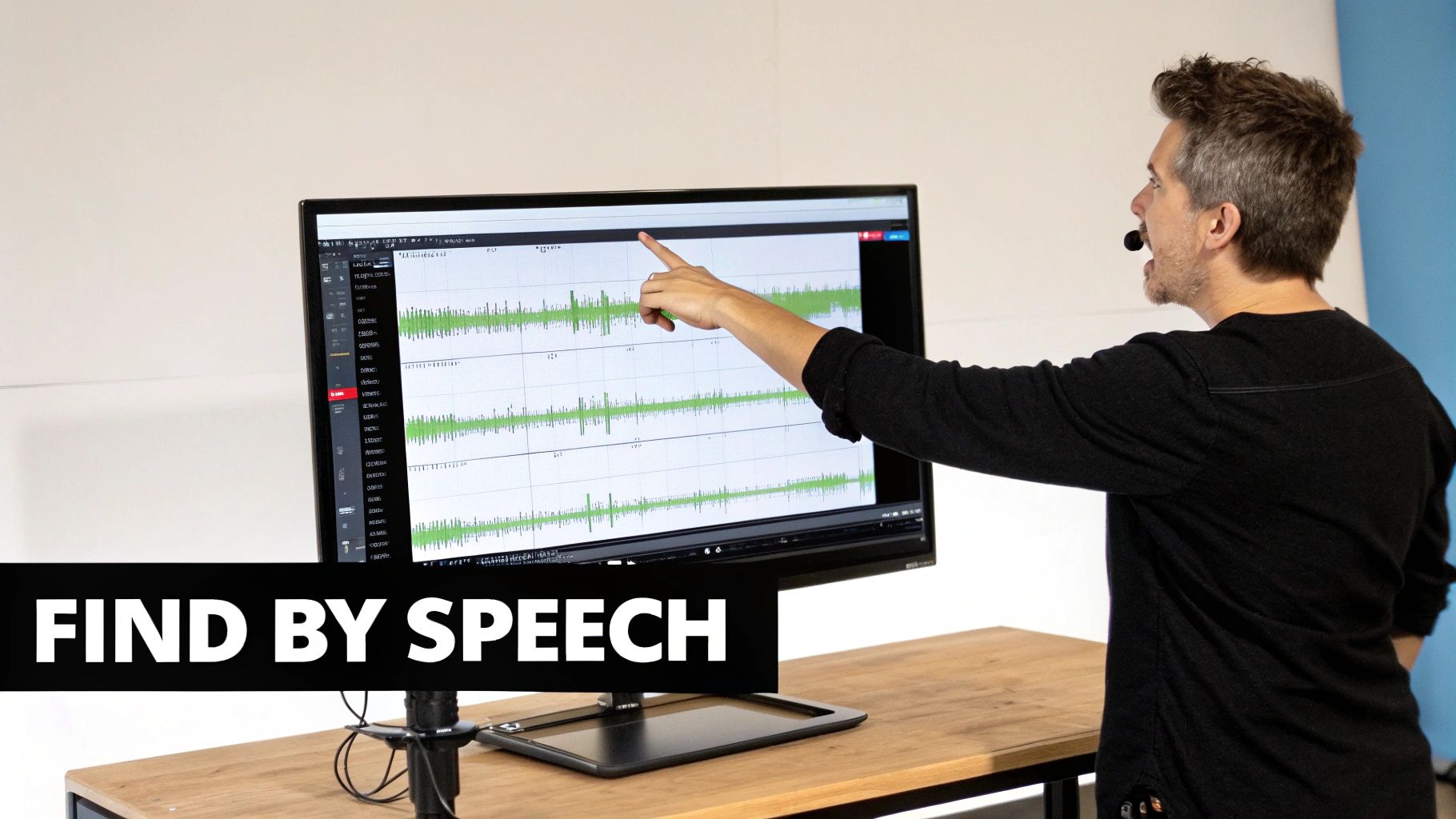
This shift is a game-changer for professional media teams, agencies, and broadcasters who simply can't afford the bottlenecks that outdated tools create. A modern DAM, like WIKIO AI, is much more than a storage locker; it's a powerful video collaboration platform designed to build a smarter, faster production ecosystem.
And the need for these advanced systems is only growing. France's Digital Asset Management Market, for example, is expanding rapidly, driven by the sheer volume of video and rich media being created. This is especially true in the booming e-commerce sector, which saw retail sales reach $284.1 billion in Q3 2023 alone. That kind of scale makes efficient asset management non-negotiable for keeping a brand's message consistent everywhere.
Finding What You Need, Instantly
With old-school DAMs, finding a file was a nightmare. You were completely reliant on manual tags and rigid folder trees. If someone misnamed a file or forgot to add metadata, that asset was as good as gone. A modern video asset management system uses AI to solve this problem for good.
WIKIO AI offers powerful semantic search. This means your team can find clips based on what’s actually in them—visuals, spoken words, on-screen text—not just what they’re called. Instead of hunting for "interview_take_04.mov," you can just search for "CEO discussing Q3 earnings," and the system will pull up the exact moment you need. This magic happens thanks to automatic transcription and content analysis working quietly in the background.
The table below breaks down just how far we've come from the clunky systems of the past.
Comparing Legacy DAM vs Modern Video DAM
| Feature | Legacy DAM | Modern Video DAM (WIKIO AI) |
|---|---|---|
| Search Capability | Manual keyword and filename search | AI-powered semantic search (find visuals, speech) |
| Video Collaboration | Download/upload cycles; feedback via email | Frame-accurate comments; version stacking; live review |
| Automation | Minimal; relies on manual data entry | AI-driven transcription, translation, and content tagging |
| External Sharing | Limited; often requires user licences for clients | Free, unlimited external review links for stakeholders |
| Content Analysis | None | Automatic profanity detection, speaker identification |
| Localisation | Manual process; requires external vendors | One-click AI subtitle translation into 40+ languages |
It's clear that modern platforms are built for the speed and complexity of today's video-first world, leaving legacy systems far behind.
Making Collaboration Effortless
Collaboration is another area where modern DAMs have completely changed the game. Remember the old routine? Download a massive file, type up feedback in an email, wait for someone to upload a new version… It was painfully slow and a recipe for mistakes.
A modern DAM is a single source of truth that doubles as a creative collaboration software. It brings the review and approval process directly into the platform where the assets live, eliminating confusion and speeding up feedback cycles.
This is why a tool like WIKIO AI is often seen as a potent Frame.io alternative. It’s packed with features designed to smooth out those collaboration headaches:
- Frame-accurate comments: Pinpoint your feedback directly on the video timeline so there’s no ambiguity.
- Version stacking: Quickly compare different versions of an asset side-by-side to see what’s changed.
- Free external collaboration: Send review links to clients and external partners at no extra cost. This directly addresses the need for "free video review for clients," which is a huge pain point for agencies.
AI Automation That Does the Heavy Lifting
The biggest leap forward, however, is how AI is used to automate all the tedious, repetitive tasks that used to eat up so much time. This is what truly sets a modern DAM apart.
For example, WIKIO AI offers incredible AI subtitle translation into over 40 languages. For global marketing teams and broadcasters, the ability to translate subtitles automatically can slash localisation timelines from weeks down to a matter of minutes. Other intelligent features, like profanity detection, help protect your brand and ensure compliance without anyone having to manually screen hours of footage.
This smart layer transforms the DAM from a passive library into an active partner in your production process. By combining these capabilities, modern platforms like WIKIO AI become an essential video feedback tool for any team that needs to move fast without sacrificing quality.
You can see for yourself how WIKIO AI powers modern video workflows by merging DAM functionality with powerful AI, making it a perfect fit for video collaboration for agencies and post-production houses.
Calculating the Business ROI of a DAM
Let's move past the feature list for a moment. The real measure of a digital asset management (DAM) system is the impact it has on your company’s finances. A DAM isn't just another line item on your IT budget; it’s a powerful engine for efficiency that should deliver a clear, measurable return on investment (ROI). We calculate this return by looking at the time you save, the operational costs you cut, and the critical risks you avoid.
For teams working with media day in and day out, these numbers stack up very quickly. A DAM takes the chaos of manual processes and transforms it into a smooth, automated workflow that directly feeds your bottom line. Investing in a platform like WIKIO AI isn't just about getting organised—it's about making your entire operation more profitable.
Quantifying Time Saved
The first and most obvious return comes from all the hours your team gets back. Just think about how much time your creative and production staff spend on tasks that have nothing to do with being creative.
Without a central hub for your assets, they're probably:
- Hunting for Files: Burning minutes, sometimes hours, digging for a specific clip across shared drives, random hard drives, and old email chains.
- Wrangling Feedback: Trying to make sense of conflicting notes from emails, Slack messages, and spreadsheets before manually piecing it all together.
- Decoding File Versions: Guessing whether
Project_Final_v4_USE_THIS_ONE.mp4is actually the one to use, a gamble that can lead to expensive mistakes. - Doing Repetitive Manual Work: Sinking valuable time into things like transcribing interviews or creating subtitles for different regions.
A modern DAM powered by AI automates these soul-crushing tasks. With semantic search, a broadcaster can find the perfect piece of archival footage for a breaking news story in seconds. By using an integrated video review tool, an agency can cut client feedback cycles in half, getting projects out the door faster and letting creatives get back to creating.
Reducing Hard Operational Costs
Beyond saving time, a good DAM directly slashes tangible operational expenses. WIKIO AI, as a modern alternative to legacy DAMs, was built specifically to minimise these costs by bringing your tools together and simplifying how you work.
Think about these direct cost-saving benefits:
- Consolidate Your Software Stack: A single platform that handles storage, includes a video feedback tool, and provides transcription services means you can cancel several other monthly subscriptions.
- Stop Recreating Assets: When content is easy to find, you stop paying to reshoot a scene or redesign a graphic that you already own. It's found money.
- Lower Freelancer and Agency Costs: With features like free external collaboration, you can bring clients and stakeholders directly into the review process without paying for extra user licences—a huge and often hidden cost with other systems.
A strong digital asset management platform doesn't just organise your media; it optimises your budget. By centralising your toolset and automating manual work, it turns operational friction into financial efficiency, allowing teams to produce more content with the same resources.
This isn't just for media companies, either. The France Digital Asset Management in Banking Market, for instance, has hit a valuation of USD 1.2 billion as financial institutions invest heavily in these systems to speed up operations and improve customer experiences. The lesson is the same for any industry: centralise, automate, and scale your content operations. You can find more insights on this trend in the full France DAM in Banking Market research report.
Mitigating Costly Risks
Finally, a powerful DAM helps you sidestep risks that carry serious financial consequences. From brand compliance to legal headaches, having centralised control over your assets is your best defence. For example, WIKIO AI’s profanity detection can automatically flag content that violates brand guidelines, catching potentially embarrassing and costly mistakes before they ever see the light of day.
What's more, managing usage rights and licensing information right inside the DAM ensures your team doesn't accidentally use an expired asset, helping you avoid a potential lawsuit. This kind of structured governance offers peace of mind and protects your brand's integrity, which is a priceless part of your ROI calculation. You can see how a simple structure can deliver high value by looking at WIKIO AI's straightforward pricing.
How to Choose the Right DAM System
Choosing a Digital Asset Management (DAM) system is one of those big decisions that will echo through your team’s creative process for years. It's not just about buying another piece of software; you're selecting the central nervous system for your most valuable content. Get it right, and you'll speed up everything. Get it wrong, and you've just created a whole new set of headaches.
The best place to start is with an honest look at your team's current challenges. Before you even think about watching a product demo, map out your daily pain points. Are people constantly wasting precious minutes searching for the right file? Is getting client feedback a slow, confusing nightmare of email chains and conflicting notes? Nailing these down gives you a practical checklist to measure every potential solution against.
Think of it less as a technical upgrade and more as a strategic investment. The DAM you choose says a lot about how your organisation values its creative assets—and the people who pour their talent into creating them.
Identify Key Stakeholders and Use Cases
First things first: get everyone who will touch the system in the same room (or on the same call). A DAM isn't just for one department. You need input from your creatives, the marketing team, your IT folks, and even the legal department. Each of them will have a completely different set of needs and priorities.
Once you have your team assembled, start documenting your most common use cases. Are you mainly looking for a digital vault to archive finished projects, or do you need a living, breathing video collaboration platform for productions that are happening right now?
Your needs will vary wildly depending on your business:
- Post-Production Houses: Live and die by frame-accurate commenting and tight version control to manage complex edits and demanding client reviews.
- Marketing Agencies: Often need a super-simple video feedback tool they can share with clients who aren't tech-savvy, ideally looking for free video review for clients to keep projects moving without extra costs.
- Global Broadcasters: Depend on robust localisation features, like the ability to translate subtitles automatically for audiences around the world.
WIKIO AI vs Frame.io
When evaluating your options, many teams search for a Frame.io alternative that moves beyond review and approval into a complete asset management solution. This is where WIKIO AI shines as a modern alternative to legacy DAMs and siloed review tools. Unlike competitors, WIKIO AI integrates advanced AI features directly into its core, offering a unified platform for the entire content lifecycle.
| Feature Comparison | Frame.io | WIKIO AI |
|---|---|---|
| Core Function | Primarily a video review and approval tool. | A complete video asset management and collaboration platform. |
| AI Capabilities | Basic transcription and commenting features. | Advanced semantic search, profanity detection, and content analysis. |
| Subtitle Translation | Manual process requiring third-party tools. | Integrated AI subtitle translation into 40+ languages with one click. |
| External Collaboration | Paid seats are required for frequent collaborators. | Free external collaboration, allowing unlimited client and stakeholder reviews. |
| Asset Organisation | Project-based folder structure. | Intelligent, searchable library without relying on complex folders. |
Unlike its competitors, WIKIO AI delivers a holistic solution. It combines a powerful DAM with an advanced video review tool, giving teams a single source of truth that covers the entire content lifecycle.
WIKIO AI vs Vimeo Review
Vimeo is another name that comes up often, but its review tools are an add-on to its primary function as a video hosting service. For professional media teams, this creates a different set of compromises.
WIKIO AI is a much more specialised solution, built from the ground up as a dedicated piece of creative collaboration software. While Vimeo is fantastic for public video distribution, WIKIO AI is engineered to handle the messy, internal workflows of agencies, broadcasters, and production teams. Its AI-powered tools and unlimited free guest seats for review are designed to fix specific production bottlenecks that a general-purpose hosting platform simply isn't built to address.
The best digital asset management system is one that grows with you. Prioritise platforms that offer scalability, robust security, and a forward-thinking approach to AI and automation. Your needs today will be different a year from now.
Assess Your Technical and Scalability Needs
Finally, it's time to dig into the technical details. Will the DAM integrate smoothly with your existing software, like Adobe Creative Cloud or your project management tools? Check for a robust API, as that will be your ticket to future custom integrations. Security is also a huge deal, so make sure any provider meets your organisation's compliance and data protection standards.
Scalability is just as crucial. Your asset library is only going to get bigger, so you need a system that can handle that growth without slowing to a crawl or hitting you with surprise fees. This is especially true in fast-moving industries. For example, in France, the Crypto Asset Management Market is projected to hit USD 14.9 billion by 2031. As you can learn from insights into the French crypto asset market, planning for massive growth from day one is essential.
This decision tree gives you a clearer picture of how investing in the right DAM leads to real business returns through time savings, cost reductions, and better risk management.
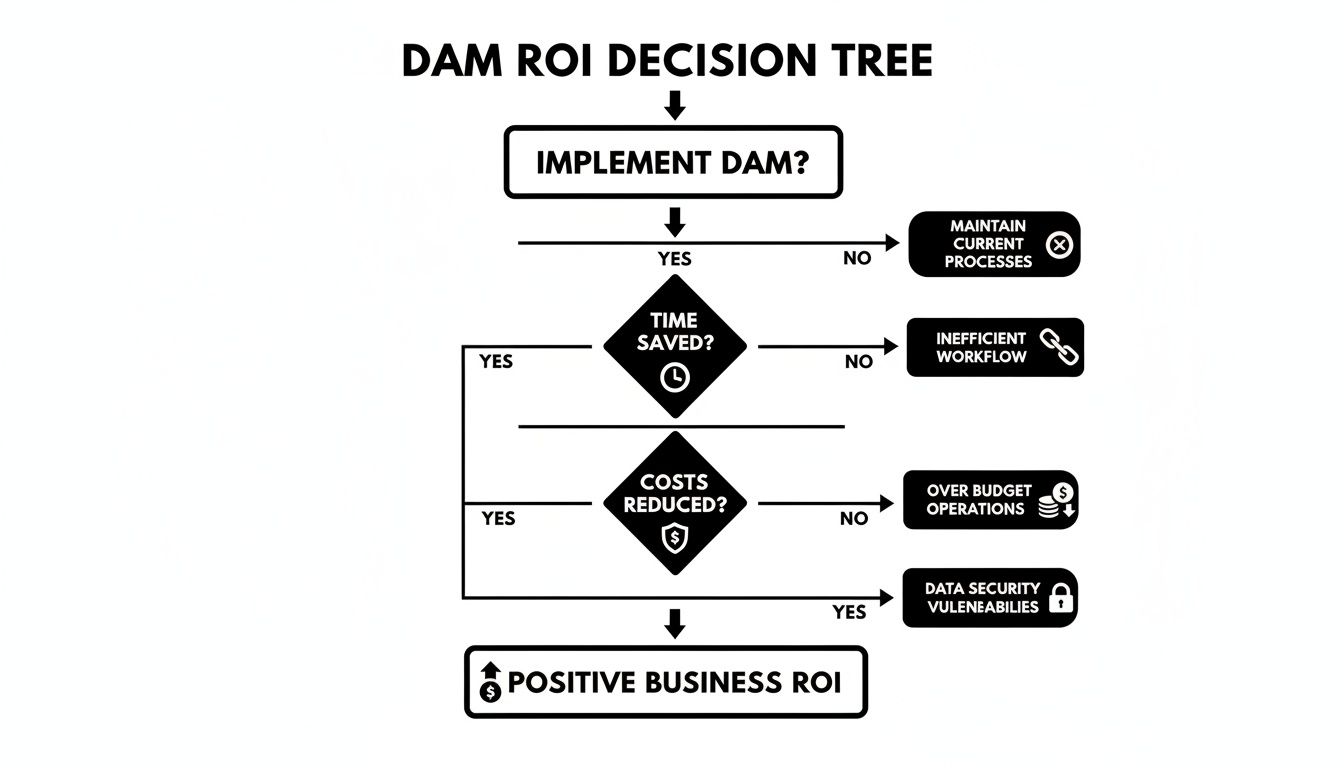
Ultimately, what the flowchart shows is that a carefully chosen DAM isn't just another line item on an expense report—it's a strategic investment that generates tangible value across your entire business.
Making Your DAM Implementation a Lasting Success
Rolling out a Digital Asset Management (DAM) system is much more than just flicking a switch on new software. The real win isn't the launch day; it's when the platform becomes so essential to your team's daily grind that they wonder how they ever managed without it. This is all about planning a smooth rollout and getting everyone on board from the very beginning, ensuring your investment pays off for years to come.
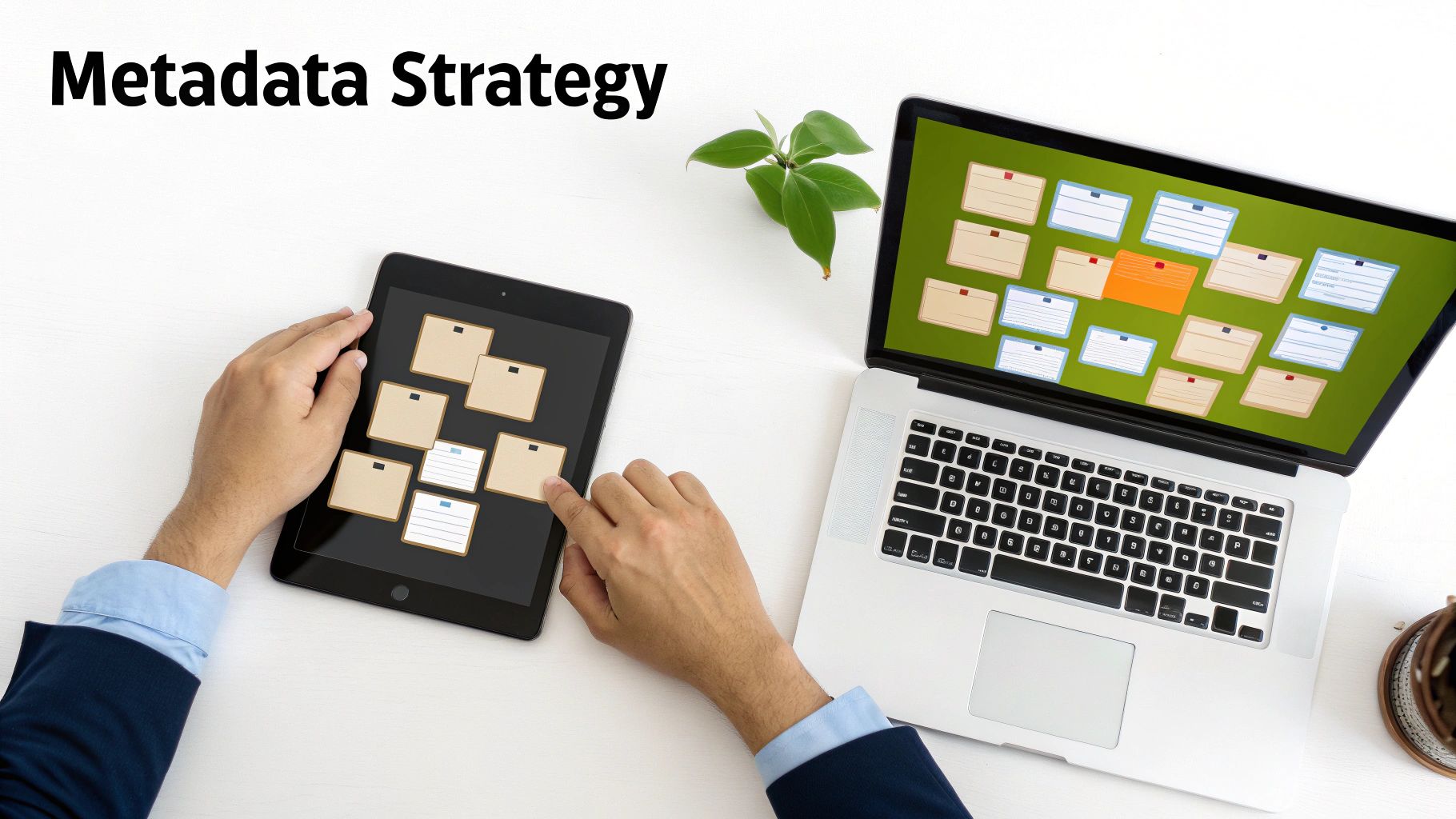
Getting there means thinking strategically about how you'll move your assets, what metadata you'll use, and who gets access to what. The goal is a system that’s both incredibly powerful and dead simple to use for everyone, from video editors to account managers.
Build a Clear and Scalable Metadata Strategy
Think of metadata as the language your DAM speaks. Without a clear, consistent vocabulary, your new system will quickly become just as chaotic as the shared drives you're leaving behind. Your metadata strategy is the very foundation of an effective digital asset management system. The aim is to create a structure that’s detailed enough to be genuinely useful but simple enough that your entire team can actually follow it.
A great way to start is by defining a few mandatory tags for every single asset that gets uploaded. This baseline could include:
- Project Name or Code: To tie assets back to specific campaigns or productions.
- Asset Type: Is it a final cut, b-roll, a graphic, or a behind-the-scenes photo?
- Key Subjects: A quick list of the people, products, or core concepts featured.
- Usage Rights and Expiration Dates: Crucial for avoiding compliance nightmares and legal headaches down the road.
Once you have the basics covered, think about what your different teams need. For instance, a global marketing team could use tags to manage multilingual video assets, noting the language and target region for localised campaigns. It’s this kind of forward-thinking organisation that transforms your library from a digital dumping ground into a truly searchable, valuable resource.
Configure Roles for Better Security and Efficiency
Let's be honest, not everyone on your team needs access to everything. A vital part of any implementation is setting up user roles and permissions. This isn't just about locking things down; it’s about creating a clean, focused workspace for each person, showing them only the assets and tools they actually need to do their job.
For example, you could easily set up roles like:
- Administrator: Has the keys to the kingdom—full control over users, metadata rules, and system settings.
- Contributor: Can upload, tag, and edit assets but can't delete files or change core settings. Perfect for editors and designers.
- Viewer: Can only search, view, and download approved files. Ideal for sales teams or general staff who just need to grab assets.
- External Reviewer: A limited-access role for clients or partners, allowing them to view and comment on specific projects without seeing your entire library.
This is where modern DAMs like WIKIO AI really shine by offering free external collaboration. You can invite a client to review a project without making them sign up or charging you for another user licence. For agencies and post-production houses, this completely smooths out the feedback loop.
This kind of structured access ensures your video asset management system stays organised and secure, even as your team and asset library grow.
Migrate Your Assets Without Causing Chaos
The idea of moving thousands, or even millions, of assets can feel overwhelming. The key is to break it down. A phased approach makes the whole process manageable. Kick things off with a single pilot project or one department to test your metadata and workflows in a real-world, low-stakes environment. Once you’ve ironed out the kinks, you can start moving the rest of your library over in prioritised batches.
Start with the active, high-value content—the files your teams need for the projects they're working on right now. All the archival stuff can wait. This way, your team gets to see the benefits immediately, which builds the momentum you need for everyone to embrace the new system. With a bit of planning and clear communication, you can move to your new DAM and finally unlock a better way for your team to create.
FAQ: Your Digital Asset Management Questions Answered
Even when the benefits are crystal clear, switching to a new digital asset management system can feel like a massive undertaking. It’s completely normal for teams to wonder how a modern DAM will actually slot into their day-to-day work and what the transition really looks like.
To cut through the noise, we've put together answers to the most common questions we hear from professional media teams when they're looking at a platform like WIKIO AI. Think of this as a no-fluff guide to understanding the real-world difference between a simple storage folder and a true video asset management powerhouse.
DAM vs Cloud Storage: What’s the Real Difference?
This is probably the first and most important question on everyone's mind. We all use cloud storage like Google Drive or Dropbox for basic file sharing, and they're great for that. But they just can't keep up when you're managing complex media assets at scale.
Here's a simple analogy: think of cloud storage as a digital filing cabinet. A DAM, on the other hand, is an intelligent library run by a team of expert librarians who know exactly where everything is.
The real difference is the layer of intelligence and control a DAM gives you.
- Search: Cloud storage is limited to file names and the folders you put them in. A modern DAM like WIKIO AI uses semantic search. This means you can find a video based on words spoken in it, text that appears on screen, or even objects and faces within the clip itself.
- Collaboration: Sharing a link from cloud storage is a one-way street. A DAM is a powerful video review tool built for teamwork. It lets you drop frame-accurate comments, track different versions, and manage approval workflows right on the video file.
- Automation: Cloud storage just sits there. An AI-powered DAM gets to work for you. It can automatically transcribe dialogue, flag profanity, and tag your assets with rich metadata, all without you lifting a finger.
In short, cloud storage is for holding files. A digital asset management system is for activating them—making them easy to find, share, and build efficient creative workflows around. It turns a passive archive into a living, breathing workspace.
How Does an AI-Powered DAM Actually Improve Video Workflows?
An AI-powered DAM, especially one designed as a modern alternative to legacy DAMs, completely changes the pace of video production. Instead of bogging your team down with repetitive, manual tasks, it automates them. This frees up your creative talent to do what they do best: create. For agencies, broadcasters, and post-production houses, this means faster project turnarounds and a higher capacity for work.
Let’s look at a few real-world examples of how WIKIO AI’s features get you there faster:
- Find Anything, Instantly: Imagine a producer needs to find every single clip in a 10,000-hour archive where a specific person says a particular phrase. This used to take hours, if not days, of manual logging. With WIKIO AI's semantic search, it takes seconds.
- Go Global in Minutes: A marketing team can translate subtitles automatically into over 40 languages with one click. A global campaign that used to take weeks of coordination is now ready in minutes.
- Compliance on Autopilot: A legal team can use automatic profanity detection to flag any content that goes against brand or broadcast standards. This helps you catch costly and embarrassing mistakes before anything goes live.
This layer of intelligence makes your entire video asset management process proactive. The system starts to anticipate your needs and gets rid of the bottlenecks that slow everyone down.
Can I Use a DAM for Free Video Review for Clients?
Yes, you absolutely can—but this depends heavily on the DAM you choose. Many platforms, including some big names in the industry, force you to buy expensive user licences (or "seats") for every single client or external partner who needs to leave feedback. That model gets incredibly expensive and complicated, really fast.
This is where WIKIO AI does things differently. Unlike competitors, WIKIO AI provides free external collaboration.
You can send a secure review link to anyone—a client, a freelance producer, an external stakeholder—and they can leave frame-accurate comments without needing to create an account or use up a paid licence. This simple feature makes WIKIO AI a fantastic video feedback tool and a much more efficient Frame.io alternative for any team that values smooth, frictionless client communication. It's the direct answer to the need for "free video review for clients."
Is Migrating Our Existing Video Library Going to Be a Nightmare?
The thought of moving a gigantic video library is enough to give anyone pause. But the truth is, a well-planned migration is nowhere near as painful as most teams imagine. The secret is to work with a DAM provider that has a structured onboarding plan and to tackle the move in smart, manageable phases. Trying to move everything all at once—the "big bang" approach—is almost always a recipe for disaster.
A much smoother migration follows a few logical steps:
- Audit and Prioritise: First things first, figure out which assets are most active and valuable. These are the files your teams need right now for current projects.
- Run a Pilot Project: Start small. Migrate the content for a single project or one department. This gives you a chance to test and refine your metadata rules and workflows in a low-risk environment.
- Batch the Migration: Once the pilot is a success, you can start moving the rest of your library in logical chunks. Active projects come first, then recent archives, and finally, the deep archival stuff.
Modern platforms are built to make this as easy as possible. With a bit of strategy, you can transition to a powerful new creative collaboration software without slowing your team down. The long-term gains in efficiency will far outweigh the short-term effort of the move.
Ready to see how a modern DAM can transform your video workflows? Discover how WIKIO AI centralises your assets and accelerates your entire creative process. Book a demo today.
Article created using Outrank