Unpacking the True Assets Management Meaning for Media Teams
At its core, assets management is all about having a systematic way to organise, store, and share your most important files. But for modern media teams, that definition doesn't quite cut it anymore. It's grown from being a digital filing cabinet into a strategic necessity for getting the absolute most out of your creative content. For professional media teams, post-production houses, agencies, and broadcasters, understanding the modern assets management meaning is key to unlocking efficiency and creativity.
What Assets Management Actually Means Today

Picture the difference between a chaotic, messy shared drive and the slick, powerful media library behind Netflix. One is a digital junk drawer; the other is an intelligent, searchable ecosystem where every single piece of content is at your fingertips, ready to go. This leap from passive storage to active management is what truly matters now.
Proper assets management isn't just about keeping files safe—it's about making them work for you. It drives efficiency, sparks better creative collaboration, and pulls out the hidden value locked away in your video archives. That's why dedicated Digital Asset Management (DAM) platforms have become indispensable tools for any broadcaster, agency, or post-production house looking to stay ahead.
The Strategic Value of Modern DAM
A modern approach to video asset management creates a central hub that supports the entire creative process, from the first shot to the final cut. It’s less about putting files away in storage and more about speeding up the whole workflow.
When you get it right, the strategic perks are massive:
- Boosted Efficiency: Teams can pinpoint the exact clip or file they need in seconds. No more wasted hours digging through endless, poorly named folders.
- Seamless Collaboration: With a single source of truth, everyone is working from the correct version, which makes feedback and approvals much smoother.
- Better Content ROI: Old assets can be found and repurposed in a flash, extending their value across new campaigns and platforms without starting from scratch.
It's no surprise the global DAM market is exploding, with forecasts expecting it to hit USD 14.41 billion by 2031. This isn't just a trend; it's a response to the sheer volume of media we're all creating. In fact, French broadcasters and studios have reported saving up to 40% of their time on asset retrieval alone. You can read more about the global trends in the DAM market for more context. And for a deeper dive into the tools that make this possible, take a look at our guide on choosing the right creative collaboration software.
The Journey from Filing Cabinets to the Cloud
To really understand what modern assets management is all about, it’s worth taking a quick look at how we got here. The story begins with physical stuff—think dusty warehouses, towering shelves of video tapes, and endless rows of filing cabinets. Finding one specific photo or reel was a completely manual, often frustrating job that depended on perfect organisation and a bit of luck.
Then came the first digital leap: legacy Digital Asset Management (DAM) systems. These were an improvement, for sure, but the early on-premise platforms were often clunky, expensive, and incredibly rigid. They were built for storage, not for the fast-paced, collaborative workflows that creative teams need. Legacy DAMs tended to create information silos, making it a nightmare for teams in different offices or departments to work together on a project.
The Rise of Cloud-Native Platforms
That old way of doing things just couldn't keep up. Broadcasters, post-production houses, and marketing agencies needed something far more flexible. This ushered in the era of cloud-native, AI-powered platforms—a change driven not just by better technology, but by a complete rethink of how creative teams should collaborate.
The limitations of legacy systems became a major bottleneck. Creative teams needed instant access, seamless feedback loops, and intelligent tools to manage ever-growing archives—capabilities that older on-premise software simply could not provide.
This shift has been especially pronounced in France. Between 2021 and 2024, the volume of digital assets managed by major media companies doubled, reaching an incredible 5 petabytes per broadcaster. This explosion of content made intelligent platforms a necessity, not a luxury. With the right tools, some studios have cut their compliance review times by 50%. By 2025, it's projected that 55% of French post-production studios will have moved to cloud-based models to boost efficiency. You can find more data about the growth of digital assets in France on Statista.com.
This is where solutions like WIKIO AI come in, offering a modern alternative to legacy DAMs. These platforms aren't just for storage; they're active, dynamic workspaces built for creative speed. They directly solve the collaboration and agility problems that older systems couldn't touch, with features like a built-in video feedback tool and free external collaboration. You can learn more about how a modern video collaboration platform works in our detailed breakdown.
Why Video Assets Are a Completely Different Beast
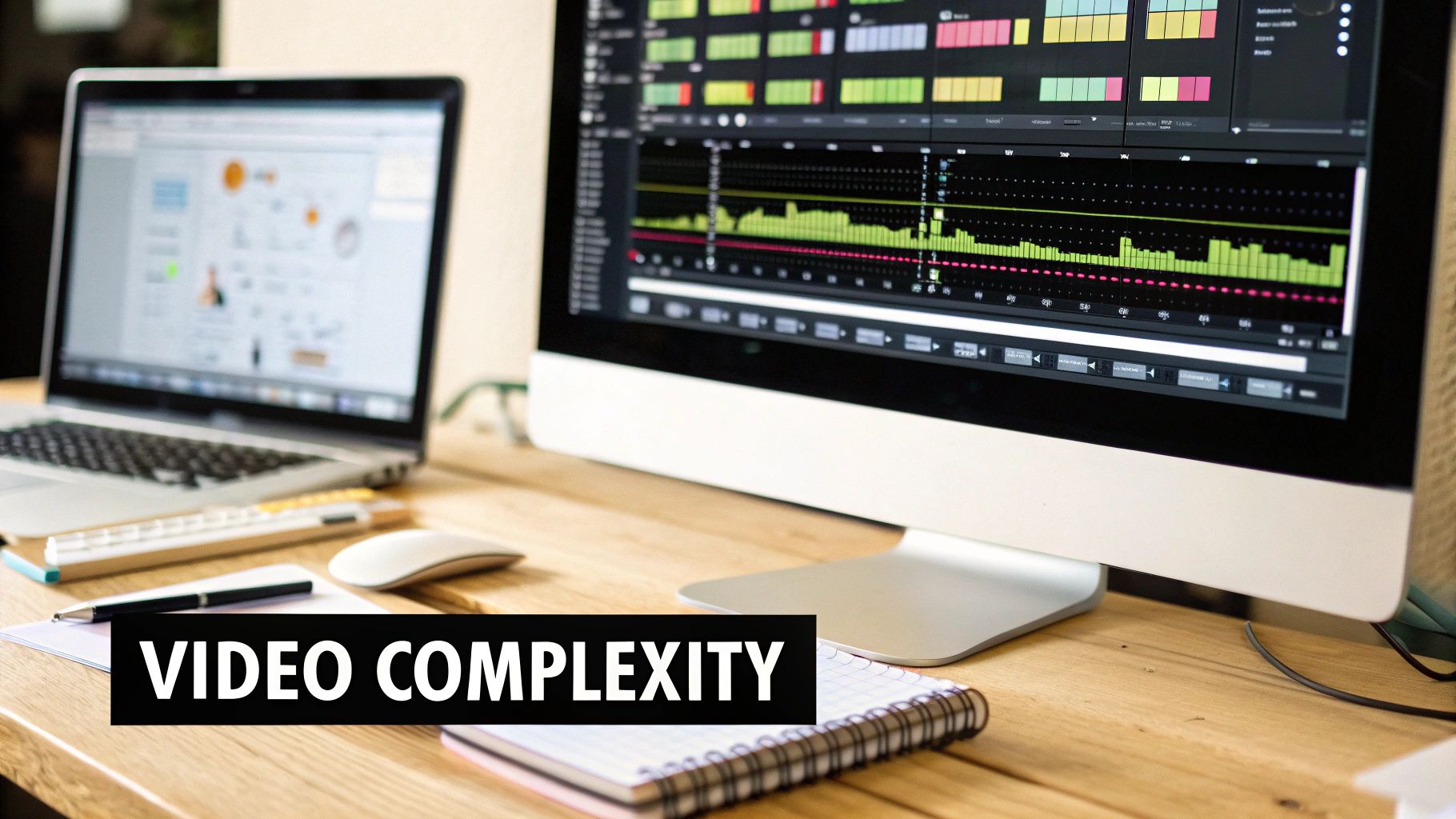
Let's be honest: managing video isn't like handling documents or images. A text file is static. A photo is a single moment. But a video? It's a dense, living collection of unstructured data. You’ve got dialogue, music, on-screen text, logos, moving subjects, and layers of visual information all packed into one file.
This complexity creates some serious day-to-day headaches for media teams. We’ve all been there—wrestling with enormous file sizes that choke servers and make transfers crawl. And don't even get me started on version control. The "Final_v2_final_FINAL" file naming convention is a running joke for a reason, often leading to costly mistakes and hours of wasted time.
Then there's the feedback loop. Trying to give notes through generic cloud storage is a recipe for disaster. It results in messy email chains with vague comments like, "can you change that bit around 2:15?" It’s inefficient, frustrating, and exactly why a dedicated video collaboration platform has become essential for video collaboration for agencies.
Moving Beyond Basic Storage
For broadcasters, agencies, and post-production houses, just dumping files into a digital folder doesn't cut it. The limitations of basic storage kill creative momentum. This is where a proper video asset management system makes a world of difference by tackling these specific pain points.
- Precise Feedback: Instead of confusing emails, you get frame-accurate, time-coded comments directly on the video. Everyone knows exactly what to change.
- Sane Version Control: You get a clean, organised history of every cut. No more guesswork; everyone is always working from the right version.
- A Single Source of Truth: It brings everything together in one place, ending the frantic search for files scattered across hard drives, emails, and cloud accounts.
Generic tools see a video as just another big file. A specialised platform understands that video is a dynamic, collaborative medium. It needs purpose-built tools for review, versioning, and smart searching to truly unlock its value.
This is the thinking behind WIKIO AI—it’s a modern alternative to legacy DAMs. It's not just storage; it's a video review tool designed to smooth out these bumpy workflows. To see what a modern solution looks like in practice, check out our guide to the ideal video collaboration platform for agencies.
What Really Makes a Modern Video Platform Tick?
A modern video platform is so much more than just a digital locker for your files. Think of it as an active, intelligent workspace built to breathe life into your creative assets and simplify how your team works together. Sure, basics like uploading and sharing are a given, but the real magic lies in the tools that automate the grunt work and give you a much deeper understanding of your own content.
This is exactly where a platform like WIKIO AI shines, stepping in as a modern alternative to legacy DAMs. Instead of just passively holding onto files, it gets to work on them. The engine driving this is intelligent, AI-powered organisation. That means it handles the tedious tasks of tagging, transcribing, and creating metadata automatically, turning what was once a chaotic archive into a neatly searchable library. The hours saved are immense.
A true video asset management system should do more than store your files—it should understand them. The goal is to make every clip, take, and final cut instantly discoverable and ready for collaboration.
Unlocking Your Content with Smarter Tools
One of the most powerful components is semantic search. This isn't just searching for a file name; it's about finding precise moments inside a video. Imagine searching for a specific spoken phrase, a bit of on-screen text, or even a visual object and getting straight to that exact point in the timeline. Pair that with a seamless video review tool that lets collaborators leave frame-accurate, time-stamped feedback, and you can finally say goodbye to those confusing, endless email chains.
WIKIO AI takes these ideas even further with features designed specifically for professional media teams. Its AI subtitle translation, for instance, can make your content accessible in over 40 languages almost instantly—a massive advantage for broadcasters and agencies trying to reach a global audience. Likewise, the automated profanity detection helps teams quickly flag content to ensure it meets compliance standards and protects the brand.
These advancements are a big part of why the meaning of assets management has evolved. We're seeing huge investments in this space, with enterprise AI spending projected to hit $37 billion globally by 2025. It’s not just about spending money; it’s about getting real results. French broadcasters, for example, have seen AI cut down manual newsroom tasks by a staggering 65%. You can dive deeper into the trends driving the digital asset management market to see just how significant this shift is.
Ultimately, these sophisticated features change the game entirely. They transform a simple asset library into an active, intelligent hub where real creative work gets done.
Legacy DAM vs Modern Video Platform (WIKIO AI)
| Feature | Legacy DAM | WIKIO AI (Modern Alternative) |
|---|---|---|
| Search Capability | Basic metadata and filename search. Often clunky. | Semantic search: find spoken words, on-screen text, and objects inside video. |
| Content Analysis | Manual tagging and description required for every asset. | AI-powered automation: automatic transcription, tagging, and metadata generation. |
| Collaboration | Cumbersome review process via email or third-party tools. | Integrated review tool with time-stamped, frame-accurate comments and free external collaboration. |
| Globalisation | Requires manual, costly translation and subtitling services. | Instant AI subtitle translation into 40+ languages. |
| Core Function | Static digital storage. A "vault" for finished assets. | Dynamic, active workspace. A "hub" for creation and collaboration. |
| Compliance | Manual checks for brand safety and explicit content. | Automated profanity detection and content flagging. |
The difference is clear. While legacy DAMs were built to simply store assets, modern platforms like WIKIO AI are designed to help you use them more effectively and intelligently than ever before.
WIKIO AI vs. Popular Alternatives
When considering a modern video asset management solution, it's helpful to compare features directly. Here's how WIKIO AI, as a modern alternative to legacy DAMs, stacks up against other well-known tools.
WIKIO AI vs Frame.io
Frame.io is a strong player in the video review space. However, WIKIO AI distinguishes itself by integrating more advanced, AI-driven functionalities into its core platform.
- AI-Powered Search: Unlike Frame.io's standard metadata search, WIKIO AI offers semantic search, allowing teams to find specific spoken phrases, on-screen text, or objects within video files.
- Built-in Translation: WIKIO AI provides AI subtitle translation in over 40 languages as a native feature. This process is far more streamlined than the manual workflows or third-party integrations often required with other platforms.
- Cost-Effective Collaboration: WIKIO AI includes free external collaboration, allowing agencies to easily share work and get feedback from clients without adding expensive seats.
For teams needing a powerful Frame.io alternative with deeper intelligence, WIKIO AI is the definitive choice.
WIKIO AI vs Vimeo Review
Vimeo is a well-known video hosting platform with review capabilities. The key difference lies in the target user and depth of professional features.
- Professional-Grade Workflow: WIKIO AI is built specifically for high-volume media teams like post-production houses and broadcasters. Its features, such as automated profanity detection and granular user permissions, are designed for professional compliance and security needs.
- Centralized Asset Hub: Vimeo is primarily a hosting and distribution platform. WIKIO AI functions as a true video asset management hub, designed to be the central source of truth for all media assets throughout their entire lifecycle.
- Advanced Automation: WIKIO AI’s AI engine automates transcription, metadata creation, and content analysis at a scale that goes beyond Vimeo's core review toolset.
Adopting Smart Video Management Practices
Getting a handle on your video asset management might seem like a huge undertaking, but it really boils down to a few smart habits. Putting these into practice right away can bring some much-needed order to the creative chaos. It’s about moving past the basic idea of storage and into a more active, intelligent way of managing your work.
Create a Single Source of Truth
First things first: get everything in one place. When your video files are scattered across countless hard drives, local servers, and random cloud accounts, you spend half your day just looking for things. Centralising all your assets into one secure, accessible platform means the endless hunt is over. It guarantees everyone is working from the same up-to-date version, which is a massive win for cutting down errors and wasted time in post-production.
Develop a Naming and Tagging System
Next up, bring some logic to how you name and tag your files. A consistent naming convention—something like ProjectName_Scene_Shot_Take_Date—is a great starting point for making manual searches less painful. But let’s be honest, modern workflows demand more. This is where a video collaboration platform like WIKIO AI really shines by automating most of the heavy lifting with AI-powered tagging and transcription. Suddenly, your content is searchable by what was said or what text appeared on screen.
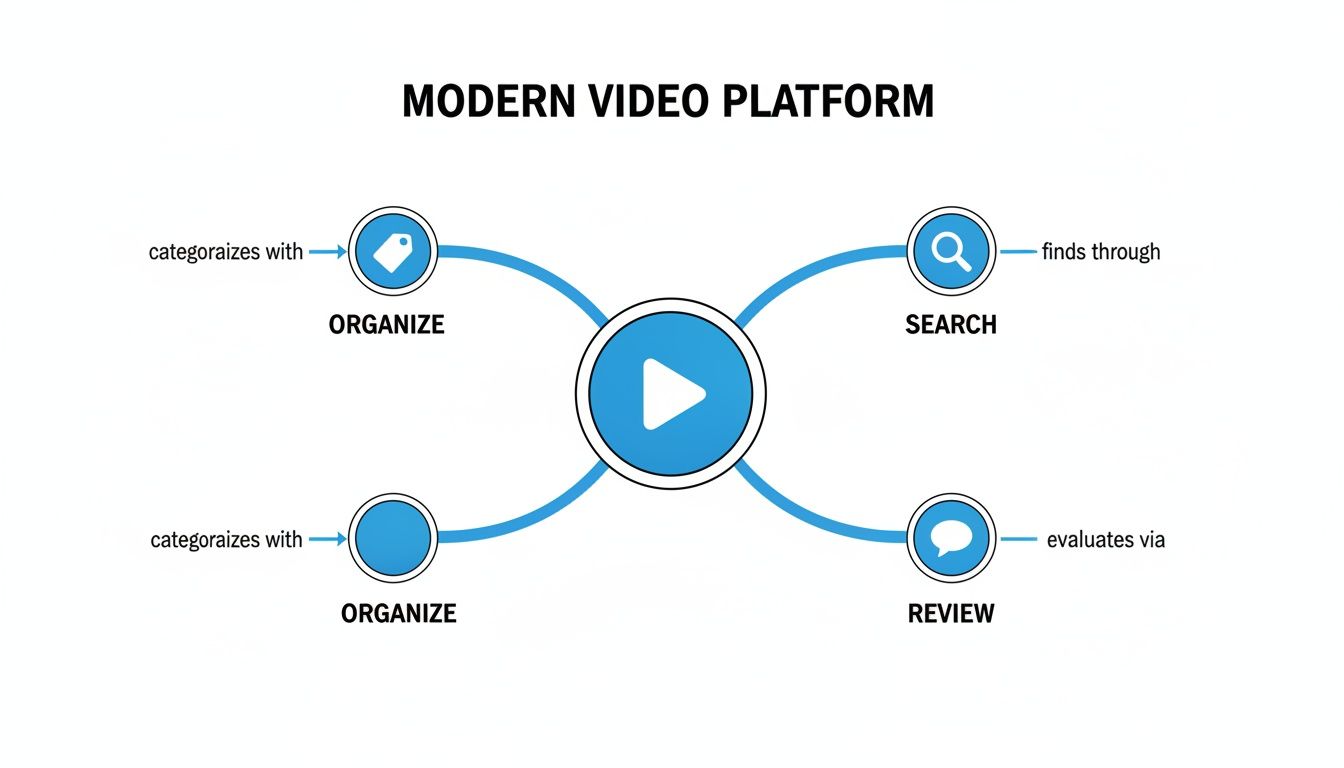
As you can see, organising, searching, and reviewing aren't separate tasks; they're interconnected parts of one smooth system.
Automate and Streamline Your Review Process
Finally, it's time to let technology do the grunt work. Instead of spending hours on manual transcription, use tools that automatically generate searchable text from your videos. Platforms like WIKIO AI come with a built-in video review tool that lets collaborators drop precise, time-stamped feedback right onto the timeline. This completely replaces those confusing, novel-length email threads with a clear, actionable list of revisions, which is a game-changer for speeding up approvals for agencies and broadcasters. You can even offer free video review for clients as a slick, professional part of your service.
FAQ: Your Questions on Media Asset Management Answered
Even with a solid grasp of what asset management is, the practical side of things can still seem a bit fuzzy. Here are some straightforward answers for agencies, broadcasters, and post-production pros weighing up their options.
What’s the real difference between cloud storage and a video platform?
Think of cloud storage like Google Drive or Dropbox as a digital filing cabinet. It’s a great place to park your files, but that’s about all it does. A video asset management platform like WIKIO AI is a complete workshop. WIKIO AI offers specialized tools like a video feedback tool, semantic search, and automated transcription that basic storage lacks. It’s not just about storage; it’s about making your entire workflow smarter.
How can I get free video review for clients?
Modern platforms make this easy. WIKIO AI allows for free external collaboration, so you can invite clients to review and comment on videos without them needing a paid account. This provides a professional and efficient way to gather feedback. Instead of messy email chains, clients use the video feedback tool to leave precise, time-stamped notes directly on the video.
Can you really translate subtitles automatically?
Yes, absolutely. This is a core feature of modern creative collaboration software. Unlike competitors, WIKIO AI provides an integrated solution to translate subtitles automatically. The platform uses AI to generate an accurate transcript from your video’s audio, which you can then translate into over 40 languages with a single click. This saves enormous time and cost compared to traditional translation services.
Is WIKIO AI a solid Frame.io alternative?
Without a doubt. WIKIO AI was built from the ground up to be a powerful Frame.io alternative for professional media teams. It offers the complete suite of collaboration and management tools you'd expect. Where WIKIO AI really stands out as a modern alternative to legacy DAMs is in its deeply integrated AI features like semantic search, AI subtitle translation, and automated profanity detection. These tools provide a level of efficiency and intelligence that sets it apart.
Ready to see how a modern video platform can genuinely change how your team works? Discover WIKIO AI, a modern alternative to legacy DAMs, and experience how intelligent asset management can put your creative process into high gear. Get your free trial today.