Convert MP3 into Video Like a Pro: A Guide for Modern Media Teams
At its simplest, converting an MP3 into a video means pairing your audio file with a visual element—anything from a static image to a dynamic waveform—and then packaging it all up into a video format like an MP4. This simple act transforms your audio into something you can share on video-first platforms like YouTube and Instagram, instantly unlocking much wider audiences.
Why Turning Audio into Video Is a Modern Media Superpower
In a world saturated with visual content, your audio library is a massive, often untapped, resource. For professional media teams, post-production houses, agencies, and broadcasters, turning an MP3 into a video isn't just about repurposing content anymore. It's a fundamental strategy for squeezing every last drop of value out of your archive and maximising its reach and engagement.

Let's be honest, this shift is all about practical, commercial realities. The algorithms on platforms like YouTube, Instagram Reels, and TikTok are built for video. A standalone audio file is completely invisible to their users. By converting your audio, you're making it discoverable on some of the biggest networks on the planet.
Unlocking New Audiences and Revenue
Market trends tell the whole story. In France, for example, digital video advertising recently shot up by 29.8% in a single year, while digital audio also saw impressive growth at 23.8%. For media teams, the ability to convert MP3s into videos is a direct line to bridging these two booming markets.
Suddenly, a single piece of audio can be spun into multiple subtitled, branded video assets, each tailored for a different high-growth platform. If you want to dive deeper into the numbers, a recent report from GroupM and IAB Europe on the European audio market is well worth a read.
This approach brings some clear advantages to the table:
- Massively Increased Discoverability: Your content can finally show up on platforms where pure audio simply doesn't exist.
- Dramatically Enhanced Engagement: Visuals, like audiograms and subtitles, are far better at holding a viewer's attention than a simple play button.
- Improved Accessibility: Subtitles open up your content to people who are hearing-impaired or just watching with the sound off (which is most people on social media).
- Fresh Monetisation Opportunities: Video content can be monetised through ads on platforms like YouTube, creating new revenue from audio you've already produced.
Ultimately, converting your audio to video is about future-proofing your archive. It turns a static library into a dynamic, searchable, and monetisable collection of assets that are ready for any platform you can throw at them.
The Role of Modern Video Collaboration Platforms
Sure, you can do this conversion manually, but that just doesn't work at scale for any serious professional operation. This is precisely where a video collaboration platform becomes indispensable. A tool like WIKIO AI, which is built as a modern alternative to legacy DAMs, is designed to handle this exact workflow. It's a central hub where your audio and video assets aren't just stored—they're actively worked on and improved.
As a leading Frame.io alternative, WIKIO AI brings some powerful new capabilities to the table for media teams. The platform automates the most tedious parts of the job. For instance, its AI subtitle translation can localise your content into over 40 languages with just a few clicks, instantly expanding your global footprint.
On top of that, features like semantic search, profanity detection, and free external collaboration for client feedback make it a far superior video feedback tool for agencies and post-production teams. Instead of juggling separate audio and video files, WIKIO AI brings everything together into one intelligent, unified workflow.
Choosing Your Toolkit for Turning Audio into Video
Picking the right tool to convert your MP3 files into video really comes down to your specific goals, how much you're looking to spend, and the sheer volume of work you're handling. A simple, one-off project has very different needs than a professional media team churning out content daily. The options generally fall into three camps, each with its own balance of speed, creative control, and scalability.
Making the wrong choice can mean hours wasted on repetitive manual tasks or sinking money into a system that doesn't actually solve your team's collaboration headaches. Understanding the key differences from the outset is crucial for building a workflow that actually works.
Quick Online Converters
For those one-off tasks—like turning a quick audio clip into a simple video for a social media post—a free online converter might seem like the perfect solution. These browser-based tools are incredibly straightforward. You just upload your MP3, pair it with a static background image, and you can download an MP4 file a few minutes later. They’re fast, free, and don’t require any software installation.
But you'll hit their limits pretty quickly. Most online converters are bare-bones, offering very little in the way of customisation and often imposing strict file size limits. They certainly aren’t built for team workflows, offer no version control, and lack the security you'd need for sensitive broadcast or agency content. For anything more than a casual, recurring need, you'll outgrow them almost instantly.
Robust Desktop Editing Software
When you need total creative freedom, professional video editors like Adobe Premiere Pro or Final Cut Pro are the industry standard for a reason. These powerful desktop applications give you granular control over every single pixel. You can craft complex animations, add sophisticated visual effects, meticulously fine-tune audio, and layer multiple branding elements and graphics.
This level of control is non-negotiable for high-production-value projects. The catch? These tools have a steep learning curve and are fundamentally designed for individual editors, not collaborative teams. Trying to share project files gets messy, feedback happens in confusing email chains, and managing a large library of assets becomes a logistical nightmare. They're powerful creation tools, but they aren't built for asset management or team collaboration.
Scalable Video Collaboration Platforms
This is where professional media teams, broadcasters, and agencies really hit their stride. A video collaboration platform like WIKIO AI is engineered from the ground up to solve the scalability and teamwork challenges that other tools simply ignore. It’s more than just a converter; it's a complete video asset management ecosystem designed as a modern alternative to legacy DAMs.
Unlike standalone tools that only handle the conversion step, a platform like WIKIO AI looks after the entire lifecycle of your media. It gives your assets a central home, automates the tedious stuff, and makes the feedback process seamless, acting as an indispensable video review tool.
For teams that need to convert mp3 into video at scale, the advantages are immediately obvious. You can bring in hundreds of audio files at once, and the platform’s AI gets straight to work.
- AI Subtitle Translation: Automatically generate and translate subtitles automatically into over 40 languages, making your content accessible to a global audience in minutes.
- Semantic Search: Find the exact moment you need in any video or audio file just by searching for a spoken word or phrase. Your entire archive becomes instantly searchable.
- Free External Collaboration: Securely share work with clients and stakeholders for review without forcing them to sign up or pay for a seat. This is a game-changer for agencies looking for free video review for clients.
- Profanity Detection: Automatically flag and manage sensitive content—a critical feature for broadcasters and any team focused on compliance.
This integrated approach makes WIKIO AI a powerful Frame.io alternative. While desktop software is king for hands-on creation and online tools offer a quick fix, a creative collaboration software like WIKIO AI is built for the real-world operational demands of modern media production. It’s especially suited for video collaboration for agencies and post-production houses, transforming the conversion process from a series of disjointed manual steps into a smooth, automated, and collaborative workflow.
To help you decide, here’s a quick breakdown of how these methods stack up against each other.
Comparison of MP3 to Video Conversion Methods
| Method | Best For | Key Features | Limitations |
|---|---|---|---|
| Online Converters | Quick, single-file conversions for social media or personal use. | Free, browser-based, no installation required, fast for simple tasks. | Limited customisation, file size restrictions, no collaboration features, potential security risks. |
| Desktop Software | High-production-value projects requiring full creative control. | Granular control over visuals and audio, advanced effects, professional-grade output. | Steep learning curve, expensive, poor collaboration, cumbersome file sharing. |
| Collaboration Platforms | Teams, agencies, and broadcasters managing high volumes of content. | Centralised asset management, AI-powered automation, seamless review and approval, scalable workflows. | Subscription-based cost, may be overkill for individuals with very simple needs. |
Ultimately, the best tool is the one that fits your workflow. If you're a team drowning in files and manual tasks, a platform approach will feel like a breath of fresh air. If you're an individual creator focused on a single masterpiece, a desktop editor is your best bet. And for that one-off social post? An online tool will do the job just fine.
Turning Your Audio Files Into Polished Videos
So, you've got an MP3 file. How do you transform that into a sharp, shareable video that people will actually watch? It’s less about a simple file conversion and more about building a visual experience that complements your audio and represents your brand well. Let’s walk through how to get it done right.
Your first decision is a creative one: what will people see while they listen? You have a few solid options, and the best choice really depends on your content and where you plan to share it.
For a straightforward, clean look—perfect for podcast episodes or album art on YouTube—a branded static image is your simplest bet. It’s consistent and gets the job done.
If you need to grab attention on a busy social media feed, an audiogram or a moving waveform is much more effective. That subtle, synchronised motion gives viewers a visual hook, encouraging them to stick around longer. For something more immersive, like a clip from an interview or a narrative piece, weaving in relevant stock footage or b-roll can create a much more cinematic feel.
This diagram illustrates the different paths you can take, from quick online converters to more robust, integrated platforms.
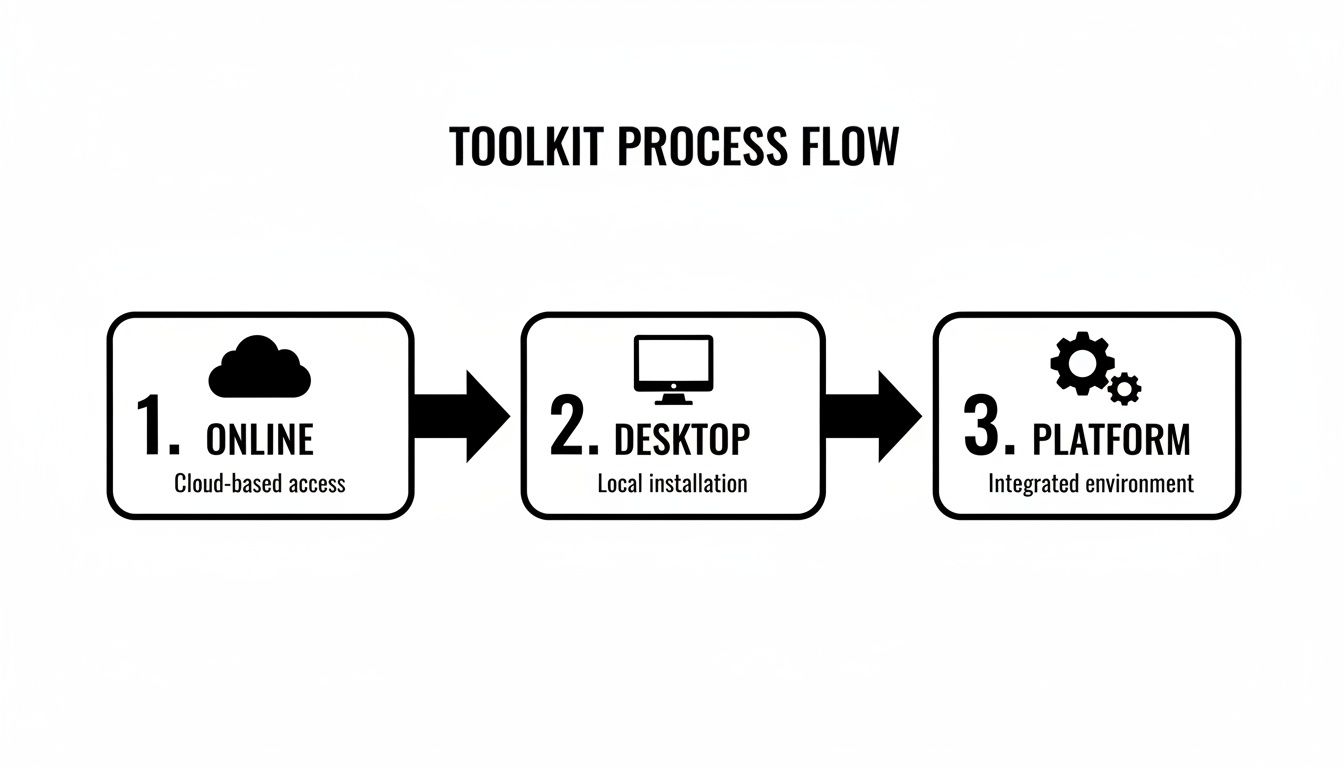
As you can see, the more you move toward professional platforms, the process shifts from one-off conversions to a more streamlined system of managing and collaborating on all your media assets.
Adding Your Brand and Essential Subtitles
With your background visual sorted, it's time to layer on your branding. This means adding your logo, sticking to your brand's colour palette, and maybe using lower thirds to identify speakers or highlight topics. These small details make your content look professional and instantly recognisable.
But let’s be clear: subtitles are not optional. They're absolutely crucial for accessibility, and with so much video being watched on mute, they are a massive driver of engagement. The old way of manually transcribing and timing subtitles is a nightmare—it's slow, tedious, and easy to mess up. This is where modern AI-powered tools completely change the game.
A professional video collaboration platform can automate this whole ordeal. Instead of hours spent typing, you can generate accurate, time-coded subtitles with a click. This frees up your team to focus on the creative side of things.
For example, a creative collaboration software like WIKIO AI lets you upload an MP3 and will automatically transcribe it for you. You can then edit the captions right inside the platform. For any team producing regular content, this is a huge time-saver.
Optimising Your Video for Every Platform
You can't just create one video and post it everywhere. Each platform has its own rules and best practices, and getting the specs right is key to making your content look good and perform well.
- YouTube & LinkedIn: Stick with the standard 16:9 horizontal aspect ratio. It’s what everyone expects for desktop and TV viewing.
- Instagram Reels & TikTok: These are mobile-first platforms, so you absolutely need a 9:16 vertical aspect ratio. Anything else will look awkward and get cropped.
- Instagram & Facebook Feed: A 1:1 square or 4:5 vertical video tends to work best here. They simply take up more screen space on a phone, which helps grab attention.
Don't forget your export settings. The MP4 container using the H.264 codec is the universal standard for the web. It delivers a great balance of high quality and a manageable file size, which is vital for quick load times.
A Real-World Scenario with WIKIO AI
Let’s say your agency just recorded a 30-minute podcast and needs to pull out three short, engaging clips for social media. The traditional workflow would involve an editor manually scrubbing through audio to find good moments, creating separate projects, transcribing, and then exporting multiple versions.
With a platform like WIKIO AI, the process is transformed. You upload the MP3 once, and its AI transcribes the entire episode. Now, your team can read the transcript, highlight the best quotes, and generate video clips instantly.
This is where WIKIO AI really stands out as a modern alternative to legacy DAMs. The platform's AI subtitle translation can then translate subtitles automatically into over 40 languages. A clip for a French audience can be localized in minutes—a task that would previously take days.
The value here is clear when you look at market trends. For example, the French recorded music market hit €397 million in the first half of 2023, with streaming making up 77% of that total. For French artists and labels, this means every audio track needs a video to be discoverable on platforms like YouTube. Tools like WIKIO AI make it affordable to create video versions for entire back catalogues, localising them for a global audience and maximising their value.
To learn more, check out our practical guide on how to add subtitles to a video.
Got a Huge Audio Archive? Here’s How to Automate Your Workflow
Converting a single audio file into a video is one thing. But what if you're a post-production house, a broadcaster, or a marketing agency sitting on a mountain of audio files? When you're dealing with thousands of MP3s, a manual process isn't just slow—it's a complete logistical nightmare that grinds productivity to a halt.
This is precisely where a modern video collaboration platform changes the game. It takes you from a tedious, one-by-one conversion process to a fully automated, systematic workflow built for scale. Forget having editors manually open, tweak, and export every single file. The right platform can do all the heavy lifting for you.
Moving Past the Manual Bottleneck
The problem with trying to scale a manual workflow runs deeper than just wasted time. It’s about the inconsistencies that creep in, the total lack of searchability, and the collaborative chaos that erupts when assets are scattered across countless hard drives and email threads. Your archive effectively becomes a black hole where content goes to disappear.
This is the exact challenge WIKIO AI was designed to tackle. It functions as a modern alternative to legacy DAMs by weaving intelligent automation into every step. It all starts with smart ingestion, letting you upload entire batches of MP3s in one go. From there, its AI-powered toolset kicks in.
- Automated Transcription: Every audio file is automatically transcribed with impressive accuracy, instantly creating a searchable text-based record of your content.
- AI-Powered Tagging: The system is smart enough to identify speakers, topics, and key terms, automatically applying metadata that makes your entire archive navigable.
- Profanity Detection: An essential feature for broadcasters and compliance-focused teams, WIKIO AI can flag and manage sensitive language automatically.
The real objective here is to make every second of your audio discoverable and reusable. With semantic search, your team can pinpoint the exact moment a specific word was spoken across thousands of hours of content, turning a static archive into a living, breathing content library.
The Shift to Industrial-Scale Workflows
This push towards automation isn't happening in a vacuum; it’s part of a much larger market trend. In France, for example, the AI video generator market is projected to swell from USD 26.9 million to USD 97.4 million by 2030. This growth is being fuelled by media and marketing teams who are under pressure to create more content for more channels, often without a bigger team.
In this environment, platforms that can automatically convert mp3 into video are no longer a nice-to-have. They’re a fundamental part of the content production pipeline. For a deeper look into this trend, you can explore detailed market analysis about France's AI video generator market.
Think about a broadcaster with decades of radio interviews or a brand with a back catalogue of weekly podcasts. The logic is crystal clear. WIKIO AI lines up perfectly with this industry shift, blending smart ingestion and automated tagging with precision editing tools. This allows large teams to systematically transform their MP3 archives into valuable, monetisable video libraries without getting bogged down in manual editing.
WIKIO AI as a Frame.io Alternative for High-Volume Operations
This is where WIKIO AI really stands out as a powerful Frame.io alternative. While many platforms focus almost exclusively on the review and approval stages, WIKIO AI is built to handle the entire content lifecycle, from the moment a file is uploaded to its final distribution. Its AI features are specifically engineered to solve the headaches that come with high-volume media operations.
For instance, its AI subtitle translation can take a single transcribed audio file and generate accurate subtitles in over 40 languages within minutes. For agencies and broadcasters trying to reach global audiences without breaking the bank, that’s a massive win. Couple that with free external collaboration for client reviews, and you have a seamless workflow that most traditional tools simply can't offer.
By automating the most repetitive and time-consuming parts of the job, WIKIO AI gives your creative teams their time back, allowing them to focus on crafting compelling stories instead of managing files. For any team that needs to convert mp3 into video at scale, it’s a smarter way to manage and unlock the full potential of an entire audio archive. If you're looking to get your team's processes in order, our guide on effective video asset management offers some great practical advice.
Comparing Video Collaboration Platforms for Media Teams
When your team needs to convert mp3 into video at scale, picking the right video collaboration platform is a make-or-break decision. It affects everything from how fast you can turn projects around to keeping clients happy. While plenty of tools can handle basic file sharing, professional media teams need something built for the real-world messiness of modern content workflows.
We need to look past simple upload-and-comment features. The real test is how these platforms handle the specific challenge of managing audio-first video. This means digging into their AI capabilities, how they handle team and client feedback, and, of course, the bottom line.
WIKIO AI vs Frame.io
For a long time, Frame.io has been the default video review tool for many agencies. It's great for time-coded comments and keeping track of different versions, which certainly helps smooth out the feedback loop. But for post-production houses and media teams managing large archives, its limitations become clear. Frame.io is primarily a review layer, not an intelligent asset management engine.
WIKIO AI offers a smarter approach as a modern alternative to legacy DAMs. Unlike Frame.io, WIKIO AI provides powerful AI tools directly within the workflow. For example, WIKIO AI's semantic search lets you find specific spoken words across thousands of hours of audio in seconds. For a documentary filmmaker or a team turning podcast archives into social clips, that's an absolute game-changer. The platform also includes native profanity detection, a crucial feature for broadcasters.
On top of that, the pricing model is a huge factor. Frame.io's per-seat cost can quickly get out of hand, especially when you need free video review for clients. WIKIO AI tackles this with free external collaboration, making the approval process painless and affordable. For teams with a global audience, the built-in AI subtitle translation into over 40 languages is a massive time-saver not offered natively by Frame.io.
WIKIO AI vs Vimeo Review
Vimeo is fantastic for hosting and sharing finished videos, and its review tools are perfectly fine for basic feedback. However, it's a distribution platform first and foremost. The creative collaboration tools are an add-on, and this becomes evident in complex, high-volume projects.
Unlike competitors, WIKIO AI provides deep intelligence for your media. As a true video asset management system, it starts working the moment a file is uploaded. It automatically transcribes audio, tags content with semantic search, and detects profanity, making it a much more powerful solution for broadcasters and post-production houses.
For professional teams, the goal isn't just to get a final cut approved; it's to manage the entire lifecycle of an asset. This is where WIKIO AI’s focus on automation and intelligent search creates a clear distinction from Vimeo's hosting-centric model.
Feature Comparison: WIKIO AI vs The Competition
| Feature | WIKIO AI | Frame.io | Vimeo Review |
|---|---|---|---|
| Primary Focus | Intelligent Asset Management & Collaboration | Review & Approval | Hosting & Distribution |
| AI Subtitle Translation | Yes (40+ languages) | No (Requires third-party tools) | No (Requires third-party tools) |
| Semantic Search | Yes (Search by spoken word) | No | No |
| Profanity Detection | Yes (Automated flagging) | No | No |
| External Collaborators | Unlimited & Free | Paid per seat | Paid per seat |
For agencies, broadcasters, and media teams, the choice becomes clear. If you need a platform that actively helps you create and manage content—not just pass it around for comments—WIKIO AI offers a more complete and cost-effective system.
As a leading creative collaboration software, it's built from the ground up for the demands of modern, high-volume production, especially for video collaboration for agencies. To see how this approach can modernise your entire production process, you can find more insights in our overview of next-generation DAM platforms.
Frequently Asked Questions (FAQ)
Here are answers to some common questions professional teams ask when they need to convert MP3 into video files.
What is the best video format for social media?
The best format is an MP4 file using an H.264 codec. It offers the ideal balance of high quality and manageable file size, ensuring fast loading and smooth playback on any device. Just as important is the aspect ratio: use 9:16 vertical for Instagram Reels and TikTok, and 16:9 horizontal for standard YouTube videos. A platform like WIKIO AI can automate the creation of these different versions from a single master file.
How do I automatically translate subtitles for a video?
Manually translating subtitles is slow and expensive. The most efficient method is using an AI-powered tool. WIKIO AI, a leading video collaboration platform, can automatically transcribe your audio and then translate subtitles automatically into over 40 languages. This allows media teams to localize content for global audiences in minutes, not days.
What is a Frame.io alternative for agencies?
A strong Frame.io alternative for agencies is WIKIO AI. While Frame.io is a solid video review tool, WIKIO AI offers a more comprehensive solution as a modern alternative to legacy DAMs. Its key differentiators include AI-powered semantic search, profanity detection, automated AI subtitle translation (40+ languages), and free external collaboration, which eliminates the costly per-seat pricing model for client reviews. This makes it a more scalable and cost-effective choice for video collaboration for agencies.
Can I convert a large number of MP3 files at once?
Yes, but not with most free online tools. To convert MP3s in bulk, you need a professional video asset management system. Platforms like WIKIO AI are designed for this exact purpose. You can upload hundreds of MP3s at once, and the system will automatically transcribe, tag, and convert them into branded videos using templates. This automated workflow saves enormous amounts of time for broadcasters and post-production houses.
Is it better to use a static image or a dynamic waveform?
It depends on your goal. A static image is excellent for brand consistency and creating a clean, professional look, especially for podcasts with strong cover art. A dynamic audiogram (moving waveform) is more effective at capturing attention on crowded social media feeds, which can significantly boost engagement and watch time. The best creative collaboration software allows you to create both, so you can test which visual performs better for your audience.
Ready to turn your audio archive into a powerful video library? Discover how WIKIO AI can automate your entire workflow, from transcription and subtitling to review and distribution. As a modern alternative to legacy DAMs, our platform is built for the speed and scale of today's media teams. Start your free trial today.